


Highlights of CR319. Your Car Expert On the Go.

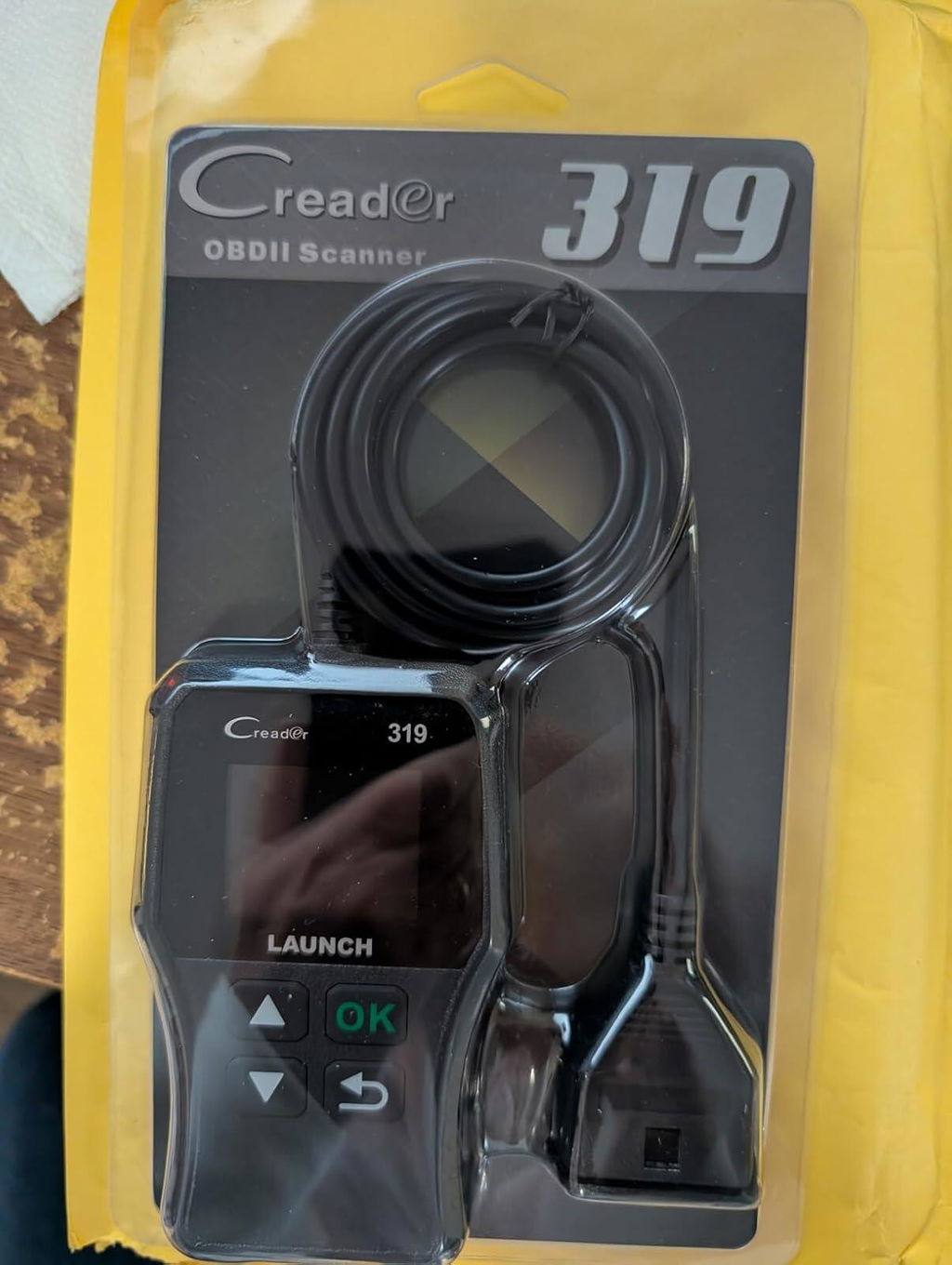
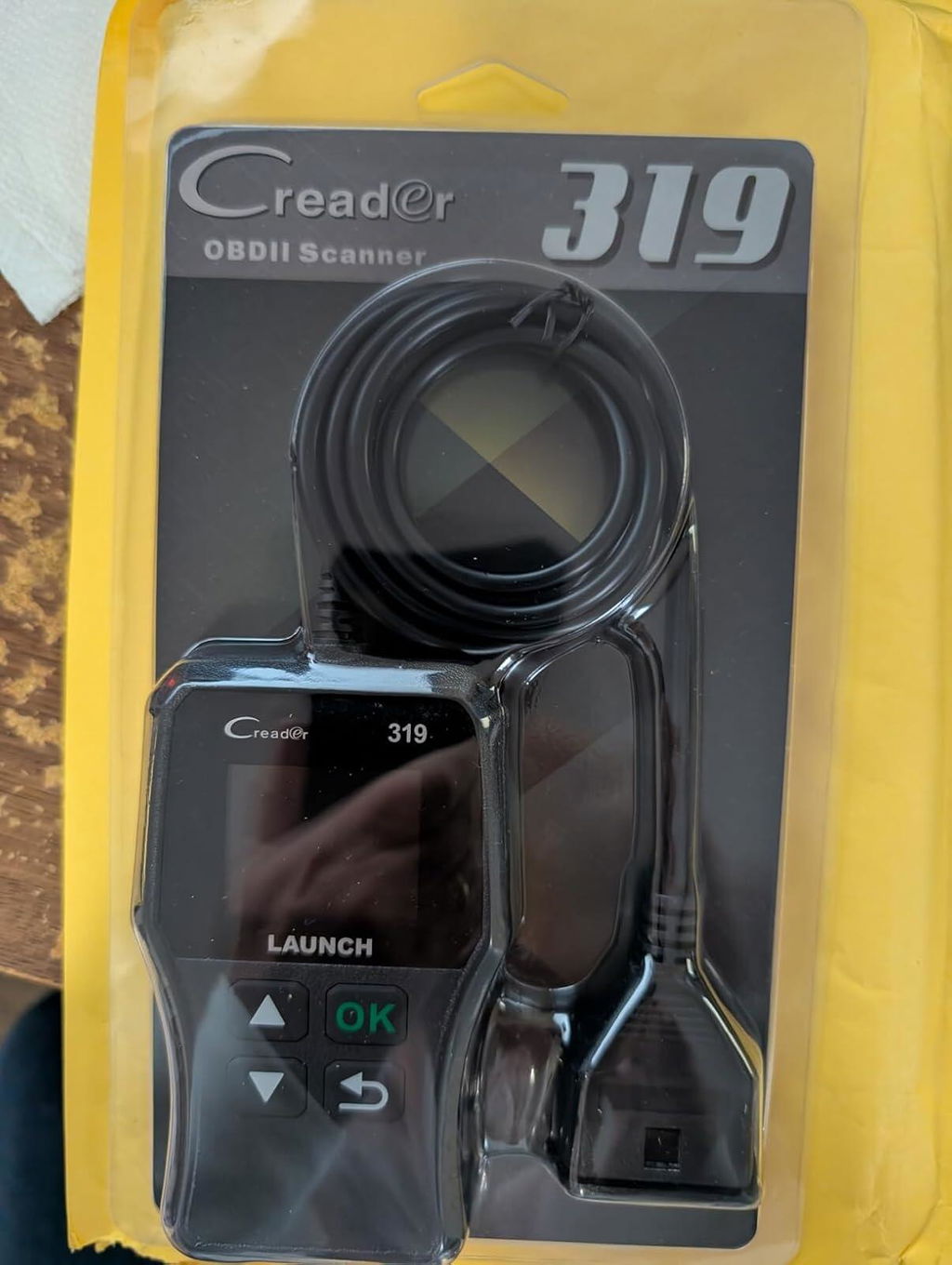
With this LAUNCH OBD2 scan tool CR319, you’ll solve most emission-related OBD2 issues versus paying for a mechanic to do the same work:
1.Works on most OBD2/EOBD/CAN cars made in and after 1996; fully compatible with protocols of KWP2000, ISO9141, J1850 VPW, and J1850 PWM.
2.Read and clear codes to quickly test every emission-related module status, and shut off that flashing check engine light bummer on your dashboard.
3.View freeze frame data to check the snapshot when an error occurs; troubleshoot the issue before the inspection.
4.View live data to monitor the real-time running components of the engine; detect underlying issues.
5.Make your smog test easy. Never feel anxious when you take the car in for an emission test.
6.Access to VIN, CID, and CVN to have easy identification of the vehicle and so track its historical records.
7.Have the built-in DTC LookUp to get the detailed Diagnostic Trouble Codes (DTCs) explanations and so save the time to search the code meanings online.
8.Multilingual Menu: English, Portuguese, Russian, Italian, Spanish, French and German.
Full Modes of OBDII Test
This LAUNCH code reader CR319 is fully-featured with all OBD2 test modes, being a very necessary scan tool for all car owners to tell the car issues in advance, to check if the car needs immediate attention, and to reduce cost and time spent on a mechanic:
1. Read fault codes associated with Check Engine Light on vehicle dashboards.
2. Clear fault codes so turn off Check Engine Light after servicing and repairing.
3. View dynamic Live Data to know how the car is performing.
4. Display I/M Readiness status to know if the car is ready for the emissions test.
5. Show Freeze Frame data to see what happened when the fault code was set.
6. O2 Sensor Test to check fuel efficiency and emission status.
7. EVAP Test for fuel tank system (carbon canister test).
8. Access to on-board diagnostic monitoring test results to determine if some specific components or the monitors are normal.
9. Retrieve vehicle information (VIN, CID, and CVN) to track car details and historical records.
10. Built-in DTC lookup library, read generic (P0, P2, P3, and U0) and manufacturer specific (P1, P3, and U1) codes; show the definition directly, save the search online.
Read & Erase DTCs
This code reader can pull diagnostic trouble codes that caused the Check Engine Light to turn on, and tell you the source of the fault. You may find a misfiring engine before it becomes a big problem. Once repairs are made, you can use it to clear the codes and so turn off the light.
I/M Readiness Check
Another handy feature in this scan tool is “I/M Readiness Test (for Inspection and Maintenance)”, the simple yet powerful self-check routines. It shows the emission-related sensors’ running status to tell whether your vehicle will pass the smog test or it’s time to have the maintenance.
O2 Sensor Test
If you find a drastic drop in fuel mileage then you can use this LAUNCH scan tool to see if the O2 sensor is defective. Replacing a defective O2 sensor can prevent possible damage to the catalytic converter. FYI, the catalytic converter would cost you thousands of bucks to replace.
Built-in DTC Library
When the code is displayed, the scan tool will show its description as well to help find the root cause of the malfunction. And if you don’t understand a specific error code, go through this OBD code reader’s DTC lookup library. No need to go looking it up online in a list or database.
Access to VIN, CID, CVN
You can get a wealth of car information including Vehicle Identification Number (VIN), CID and CVN by using this OBD2 scanner. It helps you to easily track the previous records of a vehicle, so you can get its historical data such as mileage to avoid buying a lemon car.
Live Data Stream
This scan tool will show you the live readout of what the PCM is receiving from the sensors while the car is running: RPM, fluid temperatures, fuel injection data, etc., which can aid diagnostics in all cases. For example, you can use it to diagnose why your car is losing gas mileage.
Freeze Frame Data
This OBD2 scanner can pull freeze frame data that capture what’s going on when an error code is triggered, covering important parameters such as engine RPM, vehicle speed, airflow, engine load, fuel pressure, etc. You’ll know exactly when the fault occurred and the affected sensors.
J
This is for the Launch CR319 scanner, which is a good price at $22.I actually have a bigger and older Launch scanner maybe from 10 years ago or so that has helped out.I tried to use that in a 2003 Mercury, and it couldn't read the OBD2 for some odd reason, but I was very happy this CR319 scanner did read and give me codes.My past experience with Launch was good, and this product is also good.
J
This is for the Launch CR319 scanner, which is a good price at $22.I actually have a bigger and older Launch scanner maybe from 10 years ago or so that has helped out.I tried to use that in a 2003 Mercury, and it couldn't read the OBD2 for some odd reason, but I was very happy this CR319 scanner did read and give me codes.My past experience with Launch was good, and this product is also good.
C
Pesky "Check Engine" light?Other strange warning lights on your dashboard?Just curious about the internal data logging of your vehicle?Here's a relative economical way to check those codes.Clear them if it's a false-alarm.Know in advance if you need to schedule time at the shop - and not get snowballed when you get there.If the gearhead in your life doesn't already have a code reader in their tool-kit, this would make a good addition for them.
C
Pesky "Check Engine" light?Other strange warning lights on your dashboard?Just curious about the internal data logging of your vehicle?Here's a relative economical way to check those codes.Clear them if it's a false-alarm.Know in advance if you need to schedule time at the shop - and not get snowballed when you get there.If the gearhead in your life doesn't already have a code reader in their tool-kit, this would make a good addition for them.
B
This is a very good scanner. I have couple OBD2 scanner which requires laptop. One requires serial port which non of my current laptop has. Another need USB to Serial cable which also needs driver which is very finicky. This LAUNCH OBD2 Scanner CR319 Scan Tool is awesome because it is standalone i.e.; it does not need any outside connection to the laptop. It does not require any battery either. It is very easy to use. Just plug it on the OBD2 port. Another big plus with this scanner is that the button is big. When you are working on your car with the gloves on, it is easy to use without removing gloves. If you work on your car, or want to know what is wrong with it, buy this scanner. It may pay for itself on the first time when you have to takeyour car somewhere.My car requires oil change on every 10k miles. After 5K miles, maintenance light comes on. When I take my car in every 5K miles in which time, they just inspect the car and reset the maintenance light, it cost more than this scanner. It pay itself when I do not have to take my car to the dealer.
B
This is a very good scanner. I have couple OBD2 scanner which requires laptop. One requires serial port which non of my current laptop has. Another need USB to Serial cable which also needs driver which is very finicky. This LAUNCH OBD2 Scanner CR319 Scan Tool is awesome because it is standalone i.e.; it does not need any outside connection to the laptop. It does not require any battery either. It is very easy to use. Just plug it on the OBD2 port. Another big plus with this scanner is that the button is big. When you are working on your car with the gloves on, it is easy to use without removing gloves. If you work on your car, or want to know what is wrong with it, buy this scanner. It may pay for itself on the first time when you have to takeyour car somewhere.My car requires oil change on every 10k miles. After 5K miles, maintenance light comes on. When I take my car in every 5K miles in which time, they just inspect the car and reset the maintenance light, it cost more than this scanner. It pay itself when I do not have to take my car to the dealer.

N
Nice little scan tool....Saved me a BUNCH of $$ because I was able to diagnose a bad sensor in a 2010 GMC Acadia and clear the check engine light.HOORAY!!!It's a cheap item and works for basic CEL diagnostics. And DEFINITELY worth the money!!!Only slightly negative thing is that the Screen resolution isnt awesome, but it is clear and easy to read.Super great to have around!!!
N
Nice little scan tool....Saved me a BUNCH of $$ because I was able to diagnose a bad sensor in a 2010 GMC Acadia and clear the check engine light.HOORAY!!!It's a cheap item and works for basic CEL diagnostics. And DEFINITELY worth the money!!!Only slightly negative thing is that the Screen resolution isnt awesome, but it is clear and easy to read.Super great to have around!!!

D
Don't you just hate it when you check engine light goes on and you have to take it to the dealer or mechanic, or auto parts store to read codes? Well this little neat reader is so awesome, it saves you a trip to those places and it packs a ton of information...most of which I don't even know how to use. I just want to read codes and reset the check engine light..this does that and then some.On a recent 2500 trip my truck started acting funny. I read the codes with this reader...it said P0303 which is cylinder 3 misfire. That led to checking for spark in cyl 3, then wires and then distributor box...$250 part but well worth it...without this tool, I was dead in the water and at the mercy of the local mechanic "GEORGE'S"..ouch!!!Folks, get this reader and save yourself lots of headaches, let alone $$'sPS, I am not very mechanically inclined...but I do know how to change an alternator, oil changes etc.
D
Don't you just hate it when you check engine light goes on and you have to take it to the dealer or mechanic, or auto parts store to read codes? Well this little neat reader is so awesome, it saves you a trip to those places and it packs a ton of information...most of which I don't even know how to use. I just want to read codes and reset the check engine light..this does that and then some.On a recent 2500 trip my truck started acting funny. I read the codes with this reader...it said P0303 which is cylinder 3 misfire. That led to checking for spark in cyl 3, then wires and then distributor box...$250 part but well worth it...without this tool, I was dead in the water and at the mercy of the local mechanic "GEORGE'S"..ouch!!!Folks, get this reader and save yourself lots of headaches, let alone $$'sPS, I am not very mechanically inclined...but I do know how to change an alternator, oil changes etc.

M
This code reader worked for my 1997 C1500 truck in diagnosing an engine performance, multiple misfire problem. I was thinking the problem was related to the mass airflow sensor. This code reader informed me that the mass airflow sensor was working correctly. Come to find out, there was excessive corrosion in the distributor cap. After replacing cap and rotor, engine is running great.
M
This code reader worked for my 1997 C1500 truck in diagnosing an engine performance, multiple misfire problem. I was thinking the problem was related to the mass airflow sensor. This code reader informed me that the mass airflow sensor was working correctly. Come to find out, there was excessive corrosion in the distributor cap. After replacing cap and rotor, engine is running great.
A
Can reset/clear codes that trip the check engine light. Also can monitor the diagnostic tests as they reset from incomplete to ready/pass or fail.(Failing would throw another engine code)Great for DIY repairs before taking for smog check!
A
Can reset/clear codes that trip the check engine light. Also can monitor the diagnostic tests as they reset from incomplete to ready/pass or fail.(Failing would throw another engine code)Great for DIY repairs before taking for smog check!
J
as discribed
J
as discribed
K
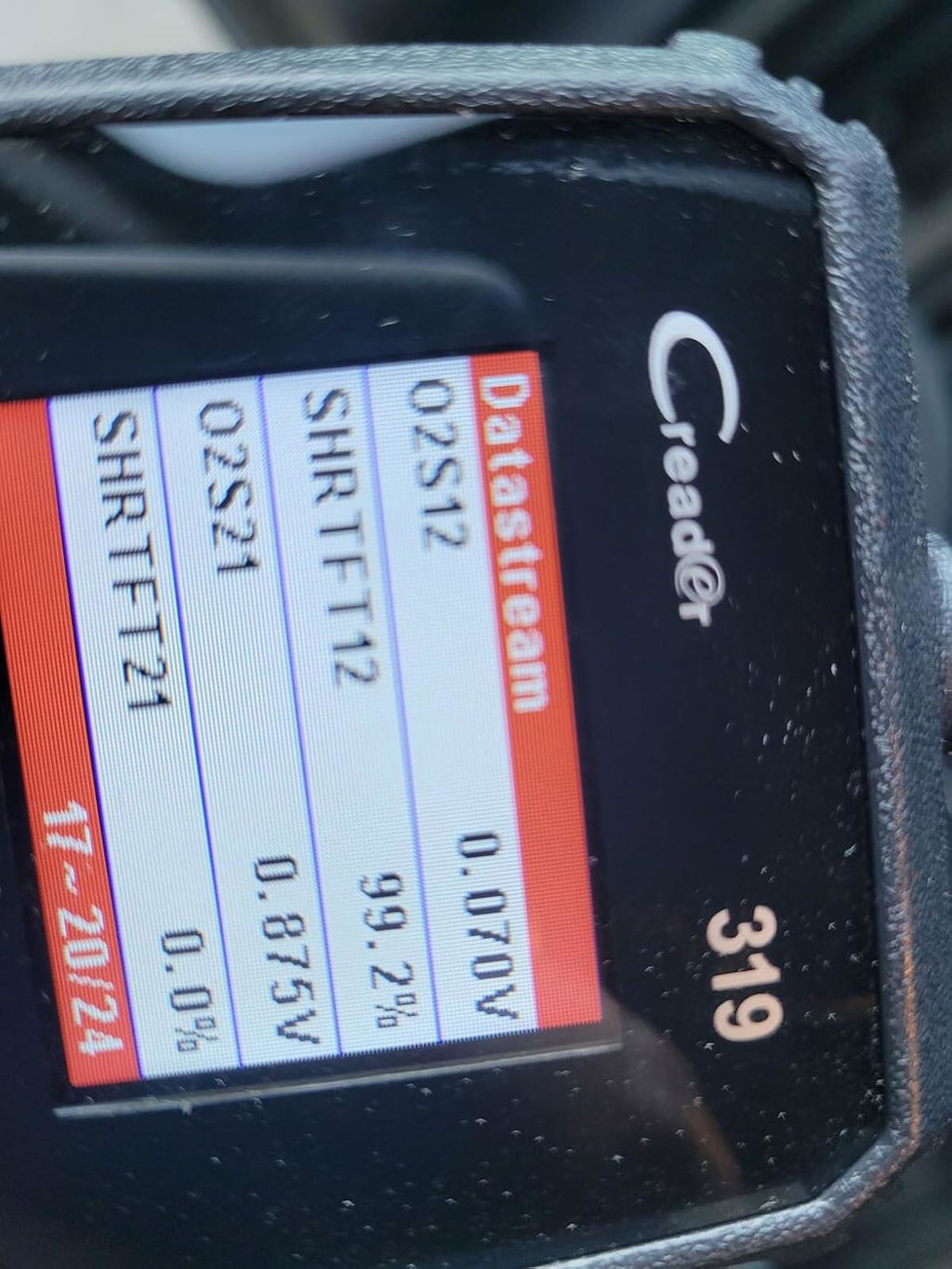
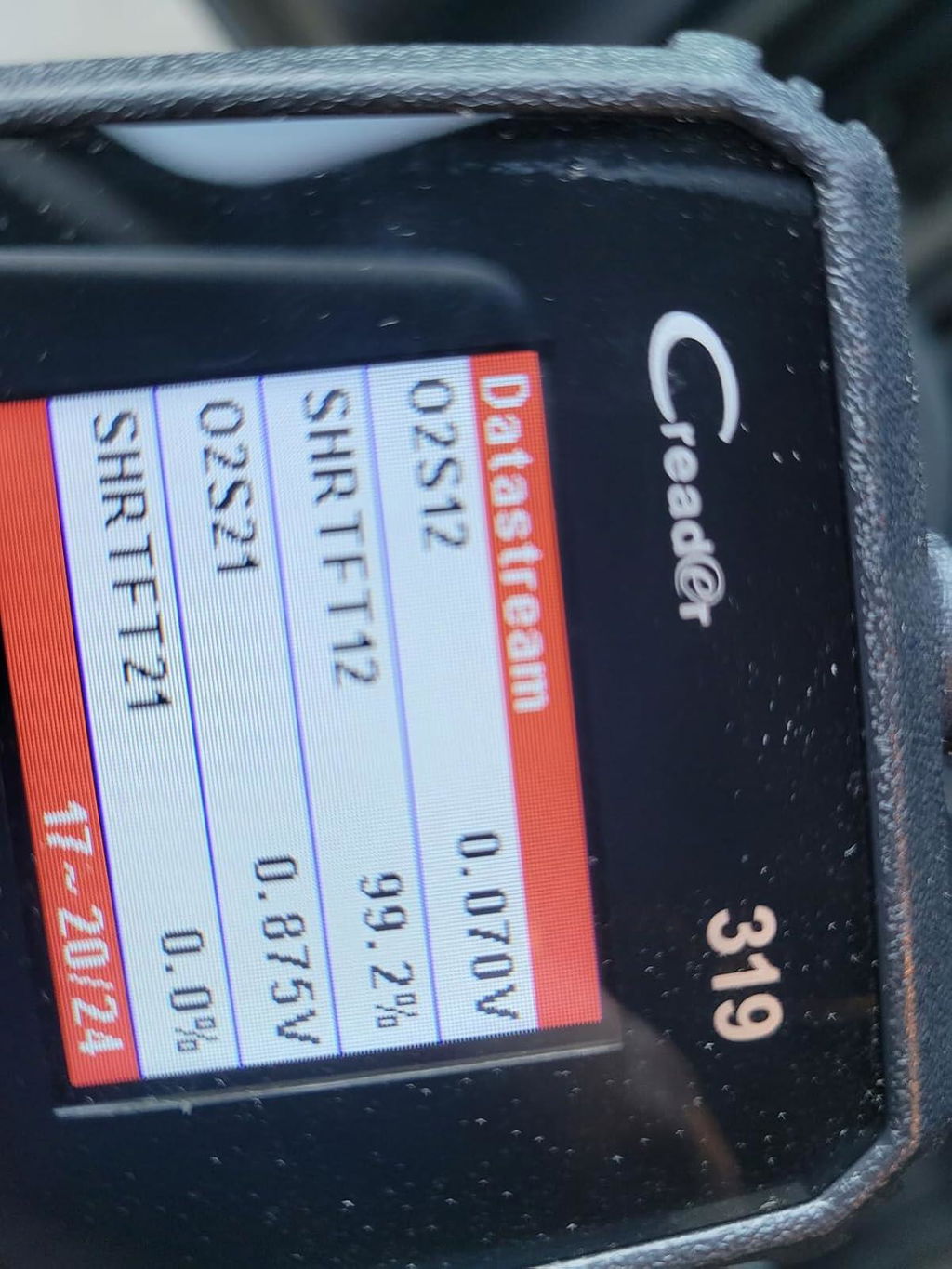
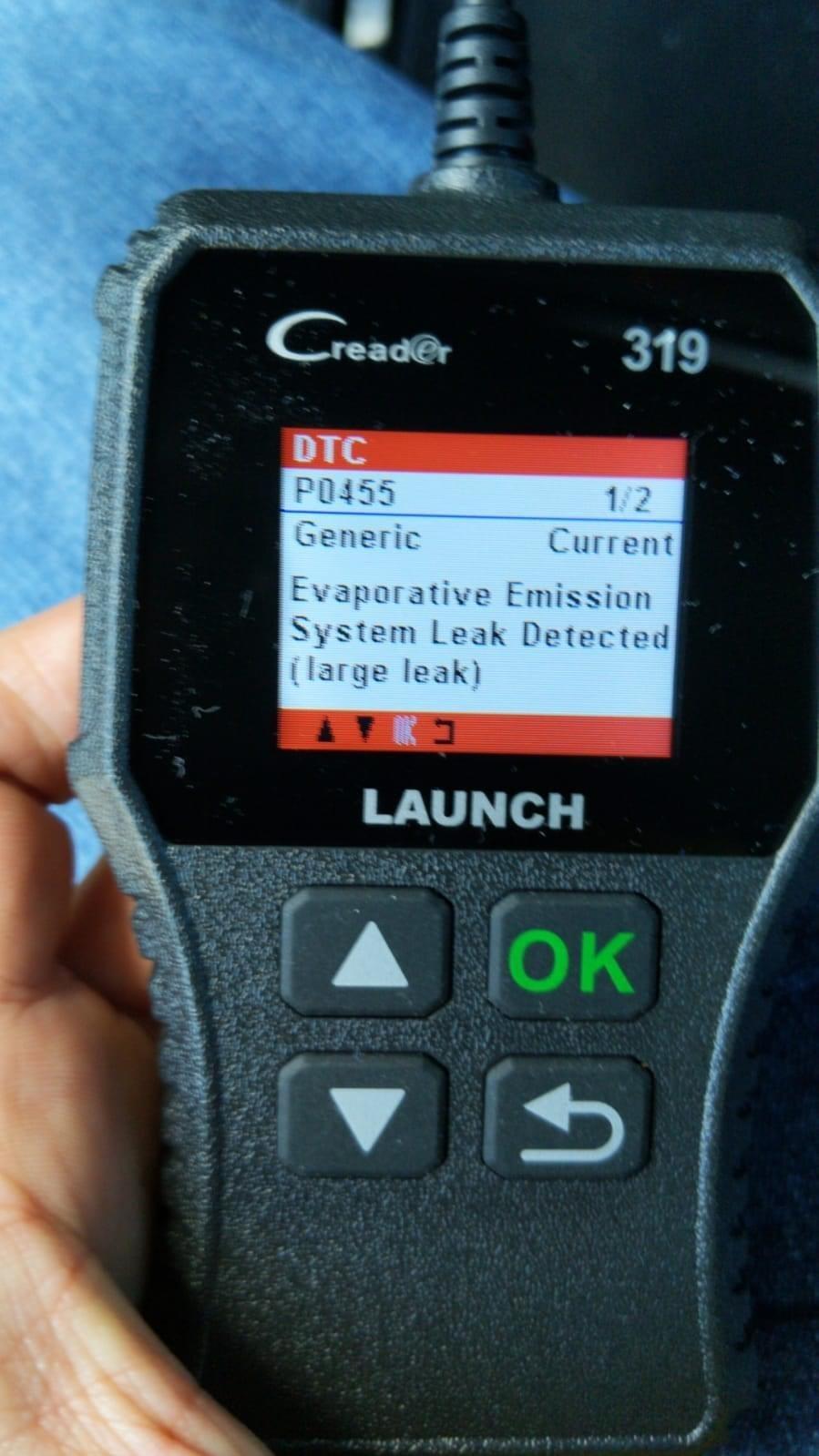
I left my gas cap on top of my car and drove away. I fortunately remembered and stopped my car put the cap back on and went on my way.The next day I started the car and my check engine light was on.I knew it had to be gas cap related so I inspected the gas cap and saw that the gasket was in bad shape.I purchased a new one and replaced, but The light never went off as it said it would according to the manual.So I picked up this scanner and sure enough as you can see in the photo it was just that.So for $25 I saved myself a lot of time and money going to the dealer which I'm sure they would have made it more than what it was.I highly recommend this scanner it is very user friendly and I love the screen it's very easy to read.
K
I left my gas cap on top of my car and drove away. I fortunately remembered and stopped my car put the cap back on and went on my way.The next day I started the car and my check engine light was on.I knew it had to be gas cap related so I inspected the gas cap and saw that the gasket was in bad shape.I purchased a new one and replaced, but The light never went off as it said it would according to the manual.So I picked up this scanner and sure enough as you can see in the photo it was just that.So for $25 I saved myself a lot of time and money going to the dealer which I'm sure they would have made it more than what it was.I highly recommend this scanner it is very user friendly and I love the screen it's very easy to read.
D
I purchased this to leave in my cars that throw codes often. I've gotten way more use out of it than what it's worth. The data stream is a really cool feature that has helped me easily diagnose bad batteries vs a bad alternator quite a few times already.
D
I purchased this to leave in my cars that throw codes often. I've gotten way more use out of it than what it's worth. The data stream is a really cool feature that has helped me easily diagnose bad batteries vs a bad alternator quite a few times already.
D
Used for my 2016 Nissan rogue to clear and read codes. Works great
D
Used for my 2016 Nissan rogue to clear and read codes. Works great
B
I bought this with the idea that I could reset a fault that happened when the car's battery was discharged.The fault was with the SRS (air bag) system.I was unhappy to discover that his device could not reset anything related to SRS.It could read many other engine related codes.My impression is that the whole world of "automotive fault codes" is much more complex and fragmented that I had previously thought.So before you buy something like this, make sure you are clear what type of code you want to see/reset and make sure that the device you buy is capable to access it.
B
I bought this with the idea that I could reset a fault that happened when the car's battery was discharged.The fault was with the SRS (air bag) system.I was unhappy to discover that his device could not reset anything related to SRS.It could read many other engine related codes.My impression is that the whole world of "automotive fault codes" is much more complex and fragmented that I had previously thought.So before you buy something like this, make sure you are clear what type of code you want to see/reset and make sure that the device you buy is capable to access it.
L
Got this tool today for an engine light on my 2003 Silverado. Hook it up and in a minute or two it told me which of "four" O2 sensors was bad. I looked up how these sensors were identified online. I went under truck to the sensor it said was bad and found it up in the frame, the wires had rubbed on the exhaust pipe and burned a wire in two.Bought new sensor same day and installed. Cleared/erased error code using "this" tool in one minute. All done!This is a good tool for the money, also easy to use unlike others in its class and that's what sold me on it.
J
This is for the Launch CR319 scanner, which is a good price at $22.I actually have a bigger and older Launch scanner maybe from 10 years ago or so that has helped out.I tried to use that in a 2003 Mercury, and it couldn't read the OBD2 for some odd reason, but I was very happy this CR319 scanner did read and give me codes.My past experience with Launch was good, and this product is also good.
J
This is for the Launch CR319 scanner, which is a good price at $22.I actually have a bigger and older Launch scanner maybe from 10 years ago or so that has helped out.I tried to use that in a 2003 Mercury, and it couldn't read the OBD2 for some odd reason, but I was very happy this CR319 scanner did read and give me codes.My past experience with Launch was good, and this product is also good.
C
Pesky "Check Engine" light?Other strange warning lights on your dashboard?Just curious about the internal data logging of your vehicle?Here's a relative economical way to check those codes.Clear them if it's a false-alarm.Know in advance if you need to schedule time at the shop - and not get snowballed when you get there.If the gearhead in your life doesn't already have a code reader in their tool-kit, this would make a good addition for them.
C
Pesky "Check Engine" light?Other strange warning lights on your dashboard?Just curious about the internal data logging of your vehicle?Here's a relative economical way to check those codes.Clear them if it's a false-alarm.Know in advance if you need to schedule time at the shop - and not get snowballed when you get there.If the gearhead in your life doesn't already have a code reader in their tool-kit, this would make a good addition for them.
B
This is a very good scanner. I have couple OBD2 scanner which requires laptop. One requires serial port which non of my current laptop has. Another need USB to Serial cable which also needs driver which is very finicky. This LAUNCH OBD2 Scanner CR319 Scan Tool is awesome because it is standalone i.e.; it does not need any outside connection to the laptop. It does not require any battery either. It is very easy to use. Just plug it on the OBD2 port. Another big plus with this scanner is that the button is big. When you are working on your car with the gloves on, it is easy to use without removing gloves. If you work on your car, or want to know what is wrong with it, buy this scanner. It may pay for itself on the first time when you have to takeyour car somewhere.My car requires oil change on every 10k miles. After 5K miles, maintenance light comes on. When I take my car in every 5K miles in which time, they just inspect the car and reset the maintenance light, it cost more than this scanner. It pay itself when I do not have to take my car to the dealer.
B
This is a very good scanner. I have couple OBD2 scanner which requires laptop. One requires serial port which non of my current laptop has. Another need USB to Serial cable which also needs driver which is very finicky. This LAUNCH OBD2 Scanner CR319 Scan Tool is awesome because it is standalone i.e.; it does not need any outside connection to the laptop. It does not require any battery either. It is very easy to use. Just plug it on the OBD2 port. Another big plus with this scanner is that the button is big. When you are working on your car with the gloves on, it is easy to use without removing gloves. If you work on your car, or want to know what is wrong with it, buy this scanner. It may pay for itself on the first time when you have to takeyour car somewhere.My car requires oil change on every 10k miles. After 5K miles, maintenance light comes on. When I take my car in every 5K miles in which time, they just inspect the car and reset the maintenance light, it cost more than this scanner. It pay itself when I do not have to take my car to the dealer.
N
Nice little scan tool....Saved me a BUNCH of $$ because I was able to diagnose a bad sensor in a 2010 GMC Acadia and clear the check engine light.HOORAY!!!It's a cheap item and works for basic CEL diagnostics. And DEFINITELY worth the money!!!Only slightly negative thing is that the Screen resolution isnt awesome, but it is clear and easy to read.Super great to have around!!!
N
Nice little scan tool....Saved me a BUNCH of $$ because I was able to diagnose a bad sensor in a 2010 GMC Acadia and clear the check engine light.HOORAY!!!It's a cheap item and works for basic CEL diagnostics. And DEFINITELY worth the money!!!Only slightly negative thing is that the Screen resolution isnt awesome, but it is clear and easy to read.Super great to have around!!!
D
Don't you just hate it when you check engine light goes on and you have to take it to the dealer or mechanic, or auto parts store to read codes? Well this little neat reader is so awesome, it saves you a trip to those places and it packs a ton of information...most of which I don't even know how to use. I just want to read codes and reset the check engine light..this does that and then some.On a recent 2500 trip my truck started acting funny. I read the codes with this reader...it said P0303 which is cylinder 3 misfire. That led to checking for spark in cyl 3, then wires and then distributor box...$250 part but well worth it...without this tool, I was dead in the water and at the mercy of the local mechanic "GEORGE'S"..ouch!!!Folks, get this reader and save yourself lots of headaches, let alone $$'sPS, I am not very mechanically inclined...but I do know how to change an alternator, oil changes etc.
D
Don't you just hate it when you check engine light goes on and you have to take it to the dealer or mechanic, or auto parts store to read codes? Well this little neat reader is so awesome, it saves you a trip to those places and it packs a ton of information...most of which I don't even know how to use. I just want to read codes and reset the check engine light..this does that and then some.On a recent 2500 trip my truck started acting funny. I read the codes with this reader...it said P0303 which is cylinder 3 misfire. That led to checking for spark in cyl 3, then wires and then distributor box...$250 part but well worth it...without this tool, I was dead in the water and at the mercy of the local mechanic "GEORGE'S"..ouch!!!Folks, get this reader and save yourself lots of headaches, let alone $$'sPS, I am not very mechanically inclined...but I do know how to change an alternator, oil changes etc.
M
This code reader worked for my 1997 C1500 truck in diagnosing an engine performance, multiple misfire problem. I was thinking the problem was related to the mass airflow sensor. This code reader informed me that the mass airflow sensor was working correctly. Come to find out, there was excessive corrosion in the distributor cap. After replacing cap and rotor, engine is running great.
M
This code reader worked for my 1997 C1500 truck in diagnosing an engine performance, multiple misfire problem. I was thinking the problem was related to the mass airflow sensor. This code reader informed me that the mass airflow sensor was working correctly. Come to find out, there was excessive corrosion in the distributor cap. After replacing cap and rotor, engine is running great.
A
Can reset/clear codes that trip the check engine light. Also can monitor the diagnostic tests as they reset from incomplete to ready/pass or fail.(Failing would throw another engine code)Great for DIY repairs before taking for smog check!
A
Can reset/clear codes that trip the check engine light. Also can monitor the diagnostic tests as they reset from incomplete to ready/pass or fail.(Failing would throw another engine code)Great for DIY repairs before taking for smog check!
J
as discribed
J
as discribed
K
I left my gas cap on top of my car and drove away. I fortunately remembered and stopped my car put the cap back on and went on my way.The next day I started the car and my check engine light was on.I knew it had to be gas cap related so I inspected the gas cap and saw that the gasket was in bad shape.I purchased a new one and replaced, but The light never went off as it said it would according to the manual.So I picked up this scanner and sure enough as you can see in the photo it was just that.So for $25 I saved myself a lot of time and money going to the dealer which I'm sure they would have made it more than what it was.I highly recommend this scanner it is very user friendly and I love the screen it's very easy to read.
K
I left my gas cap on top of my car and drove away. I fortunately remembered and stopped my car put the cap back on and went on my way.The next day I started the car and my check engine light was on.I knew it had to be gas cap related so I inspected the gas cap and saw that the gasket was in bad shape.I purchased a new one and replaced, but The light never went off as it said it would according to the manual.So I picked up this scanner and sure enough as you can see in the photo it was just that.So for $25 I saved myself a lot of time and money going to the dealer which I'm sure they would have made it more than what it was.I highly recommend this scanner it is very user friendly and I love the screen it's very easy to read.
D
I purchased this to leave in my cars that throw codes often. I've gotten way more use out of it than what it's worth. The data stream is a really cool feature that has helped me easily diagnose bad batteries vs a bad alternator quite a few times already.
D
I purchased this to leave in my cars that throw codes often. I've gotten way more use out of it than what it's worth. The data stream is a really cool feature that has helped me easily diagnose bad batteries vs a bad alternator quite a few times already.
D
Used for my 2016 Nissan rogue to clear and read codes. Works great
D
Used for my 2016 Nissan rogue to clear and read codes. Works great
B
I bought this with the idea that I could reset a fault that happened when the car's battery was discharged.The fault was with the SRS (air bag) system.I was unhappy to discover that his device could not reset anything related to SRS.It could read many other engine related codes.My impression is that the whole world of "automotive fault codes" is much more complex and fragmented that I had previously thought.So before you buy something like this, make sure you are clear what type of code you want to see/reset and make sure that the device you buy is capable to access it.
B
I bought this with the idea that I could reset a fault that happened when the car's battery was discharged.The fault was with the SRS (air bag) system.I was unhappy to discover that his device could not reset anything related to SRS.It could read many other engine related codes.My impression is that the whole world of "automotive fault codes" is much more complex and fragmented that I had previously thought.So before you buy something like this, make sure you are clear what type of code you want to see/reset and make sure that the device you buy is capable to access it.
L
Got this tool today for an engine light on my 2003 Silverado. Hook it up and in a minute or two it told me which of "four" O2 sensors was bad. I looked up how these sensors were identified online. I went under truck to the sensor it said was bad and found it up in the frame, the wires had rubbed on the exhaust pipe and burned a wire in two.Bought new sensor same day and installed. Cleared/erased error code using "this" tool in one minute. All done!This is a good tool for the money, also easy to use unlike others in its class and that's what sold me on it.
Certificate Files
Official LAUNCH Authorized Dealer
Genuine LAUNCH diagnostic tools, reliable support and a more confident purchase experience.
We provide authentic LAUNCH products through authorized sales channels, with supported software updates, warranty service and professional technical assistance.
Why Buy from an Authorized LAUNCH Dealer?
Buying from an authorized dealer helps ensure your LAUNCH diagnostic tool is genuine, properly supported and eligible for official services.
100% Genuine Products
Authentic LAUNCH diagnostic tools sourced through authorized distribution channels.
Official Software Support
Access supported diagnostic software, vehicle coverage and available software updates.
Warranty Protection
Eligible products include warranty support according to the terms listed on each product page.
Professional Support
Get help with product selection, compatibility, setup, software updates and technical questions.
Official LAUNCH Authorization

Our authorization confirms that we are approved to distribute genuine LAUNCH diagnostic products through authorized sales channels.
Why Genuine LAUNCH Matters
Professional diagnostic tools depend on more than hardware. Genuine products provide access to supported software, valid device activation and reliable after-sales service.
Reliable Activation
Valid product identification and supported device activation.
Software & Vehicle Coverage
Access supported diagnostic software, vehicle data and available updates.
After-Sales Support
Receive assistance for eligible product, software and warranty needs.
Unauthorized or cloned devices may experience activation, update, compatibility or warranty limitations.
Support Before & After Your Purchase
Our team can assist throughout the entire purchase and ownership process.
Before Purchase
-
Vehicle compatibility
-
Diagnostic function confirmation
-
Product comparison
-
Accessory compatibility
After Purchase
-
Product activation
-
Software updates
-
Technical support
-
Warranty assistance
Buy LAUNCH with Confidence
Choose genuine LAUNCH diagnostic tools backed by reliable software support and professional service.
Genuine Products
Authentic LAUNCH tools and accessories.
Software Support
Supported software and vehicle coverage.
Professional Assistance
Help with compatibility, setup and product use.
Reliable After-Sales Service
Support when you need it after purchase.
Frequently Asked Questions
Are the LAUNCH products sold on this website genuine?
Yes. We provide genuine LAUNCH diagnostic products through authorized sales channels.
Do LAUNCH diagnostic tools include software updates?
Most eligible products include a free software update period. The exact update period varies by model.
Can you help confirm vehicle compatibility?
Yes. Provide your vehicle make, model, year and required diagnostic function, and our team can help check compatibility.
Do all LAUNCH products include the same warranty?
No. Warranty coverage may vary by product. Please refer to the warranty information listed on the corresponding product page.
Can you help with product activation?
Yes. Our support team can assist with general activation, registration and setup questions for eligible products.
✅ Fast order processing
You will receive the orders within 24 hours of payment confirmation (excluding weekends and public holidays). During peak seasons or holidays, processing times may be slightly extended. In the event of delays, we will take all necessary steps to minimize them.
To place an order, choose your region and click the link below:
-United States – https://us.launchx431pro.com/
-United Kingdom – https://uk.launchx431pro.com/
-European Union – https://www.launchx431pro.com/
✅ Local warehouses shipment
All orders are shipped from our warehouses in the USA, the United Kingdom, and Germany using premium international carriers to ensure your tools arrive safely and on time.
| Region | Shipping Location | Estimated Delivery Time |
| United States | PERTH AMBOY, NJ | 3–5 business days |
| United Kingdom | Dunstable | 3–5 business days |
| European | Ginsheim-Gustavsburg, Frankfurt | 3–7 business days |
| Other Countries | HongKong | 7–15 business days |
✅ Safe and reliable delivery
You can count on fast, dependable delivery. We work with trusted international carriers like DHL, UPS, USPS, FedEx, and DPD to get your order to you safely.
NOTE: Delivery to some remote or rural areas is not available. If you're unsure whether we ship to your location, feel free to contact our support team before placing your order.
✅ Free Shipping on Local Orders
Local orders (US, UK, EU) ship for free and with no tax.
For orders shipped to Canada or other non-local countries (excluding the US, UK, and EU), import taxes or customs duties may apply upon delivery.
✅ Customs & duties guidance
For customers outside Europe, customs fees are determined by your local government. As these charges vary by country and are beyond our control, we recommend contacting your local customs office before placing your order to understand any applicable fees, duties, or taxes.
✅ More shipment inquiries
For any shipping-related questions, our customer service team is here to help.
Email: ussupport@launchx431pro.com
WhatsApp: +86-180-2870-0839
Business hours: Monday–Friday, 9:00 AM – 6:00 PM (GMT+8)

Launch Upgrade Card (All Products)
Launch Software Update Card
Renew Your LAUNCH Software Update Service
Keep your compatible LAUNCH diagnostic tool up to date with the latest software, vehicle coverage, and available features.
Select your device model from the options above to purchase the corresponding software update service.
Important Notes
-
Digital Service — No Physical Shipping Required
This is a software update service only. No physical product will be shipped. -
Please Provide Your Serial Number After Purchase
After completing your order, email your device Serial Number (S/N) to:
ussupport@launchx431pro.com
You can usually find the S/N on the back of your device or in the device settings.
-
Processing Time
Software update activation is usually completed within 2 business days after we receive and verify your device information. -
Software Update Only
This service renews the software update period only and does not include hardware warranty coverage. -
Compatibility Confirmation Recommended
Please select the correct device model before purchase. If you are unsure which update option is compatible with your device, contact us with your model and serial number before ordering. -
Digital Product Policy
Due to the digital nature of this service, orders are non-refundable once the update service has been activated or delivered.
How It Works
Step 1 — Choose Your Device
Select the correct LAUNCH device model from the available options.
Step 2 — Complete Your Order
Place your order and complete payment online.
Step 3 — Send Us Your Serial Number
Email your device S/N to ussupport@launchx431pro.com together with your order number.
Step 4 — We Activate the Update Service
Our team will verify your information and activate the corresponding software update service.
Step 5 — Update Your Device
Once activated, connect your device to the internet and open the Software Update section to download the latest available software.
Why Renew Your Software?
Stay Up to Date
Access the latest available software and vehicle coverage for your device.
Expand Vehicle Coverage
Keep compatibility with newer supported vehicle models and systems.
Maintain Diagnostic Capability
Continue using updated diagnostic functions, service functions, and available software features.
No Shipping Required
The entire process is completed online.
Need Help Choosing the Right Update Option?
Not sure which update service fits your device?
Send us your:
Device Model
Serial Number (S/N)
Order Number, if already purchased
Email: ussupport@launchx431pro.com
We’ll help confirm the correct update option before activation.