


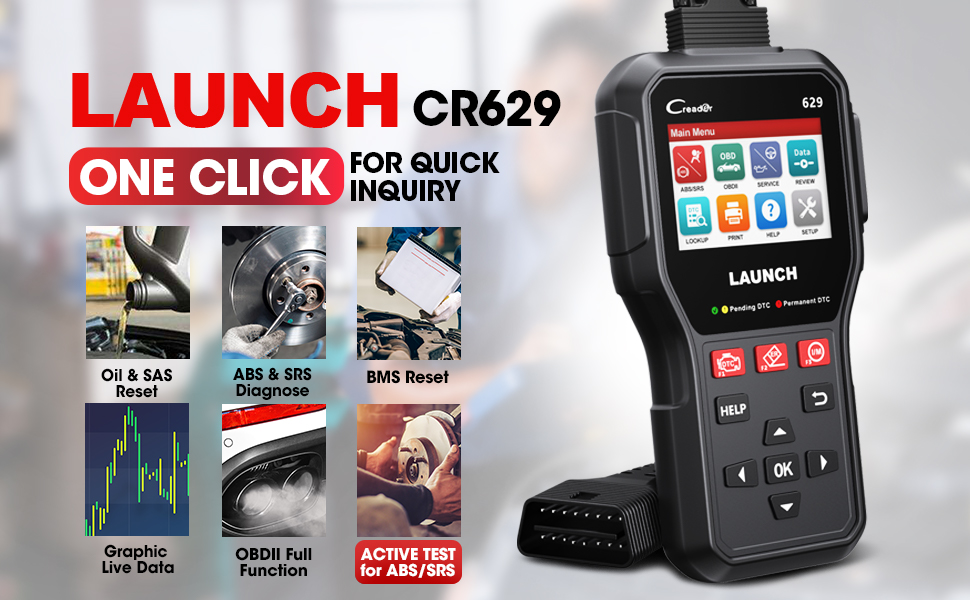
BIDIRECTIONAL CONTROL(ACTIVE TESTS)-SAVE DIAGNOSTIC TIME
With a bidirectional control function for the ABS / SRS systems, this OBD2 scanner can request information or command a specific function from these two systems to pinpoint the system faults, e.g. turn on or off the SRS light to check if the wire or the light is OK.
3 Useful Reset Services for Fast Maintenance
Launch CR629 add more reset function, quickly access specific vehicle systems for various scheduled service and maintenance performances.
HELP BUTTON-SPECIALLY DESIGNED FOR HOME DIAGNOSTICS
Press the “Help” Button, Some DTC has the tips that show the structures of the sensor, the cause, and Results of Fault and give you the parameters and inspection method
3.5’’ LARGE LCD COLOR DISPLAY
Launch scanner with 3.5" TFT Big Size LCD Color Screen and More Comfortable Hand Feeling.
Bidirectional Control (Active Test)
ABS & SRS System Diagnoses & 3 Reset Functions: Oil Reset, Sas Calibration, And BMS Reset
Lifetime Update And Pc Print&Review/Record The Recorded Date
3 Hot Keys Makes Diagnosis Easier &3 Led Indicator For Different Dtc Types
Full Obd2 Functions & Live Data Graphing&DTC Lookup Get The Code’S Meaning Immediately
Multilingual Support: English, French, German, Spanish, Portuguese, Russian, Japanese, And Italian

Active Test for Effectiveness
With this diagnostic tool’s Active Test, you can output the command into the ECU in order to turn on/off actuators, to find faults in the subsystems of your car effortlessly, without using the vehicle’s control:
[ Turn on the radiator fan | Modulate the throttle | Open/close windows | Operate mirrors | Turn on/off the lights | Turn on/off the sound horn | Test door lock … ]
*Available test varies by the vehicle manufacturer, year, and model.
Active Tests - Don't get help from someone else or having to run around to the driver’s seat, you can fully understand the nature of the problem by simply commanding your vehicle through LAUNCH CR629.
Bidirectional Control-Save Diagnostic Time – Active Tests
With a bidirectional control function for the ABS / SRS systems, this OBD2 scanner can request information or command a specific function from these two systems to pinpoint the system faults, e.g. turn on or off the SRS light to check if the wire or the light is OK.
LAUNCH CR629 OBD2 Scanner, A Best Investment for DIYers!
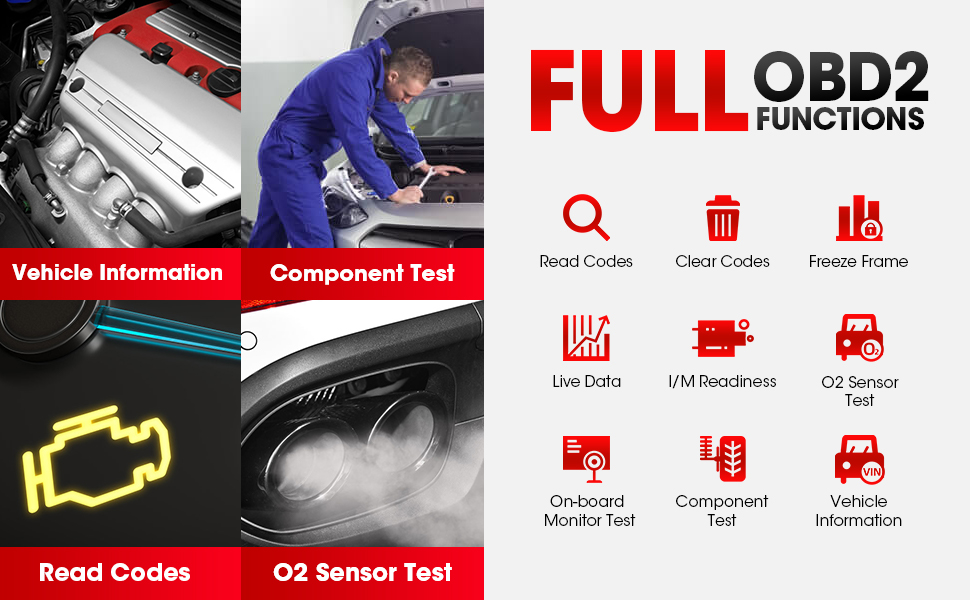
No more Vague Check Engine Lights
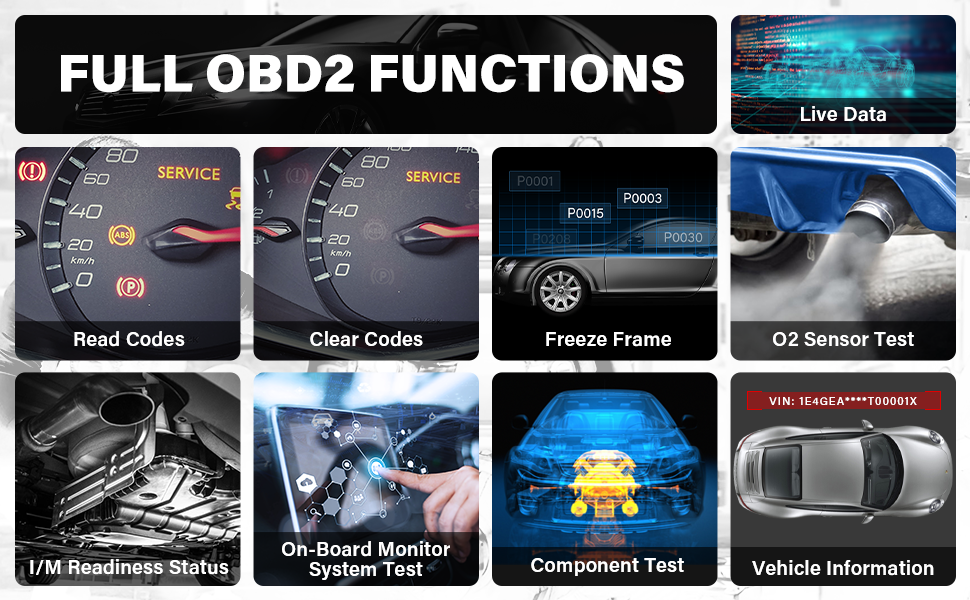
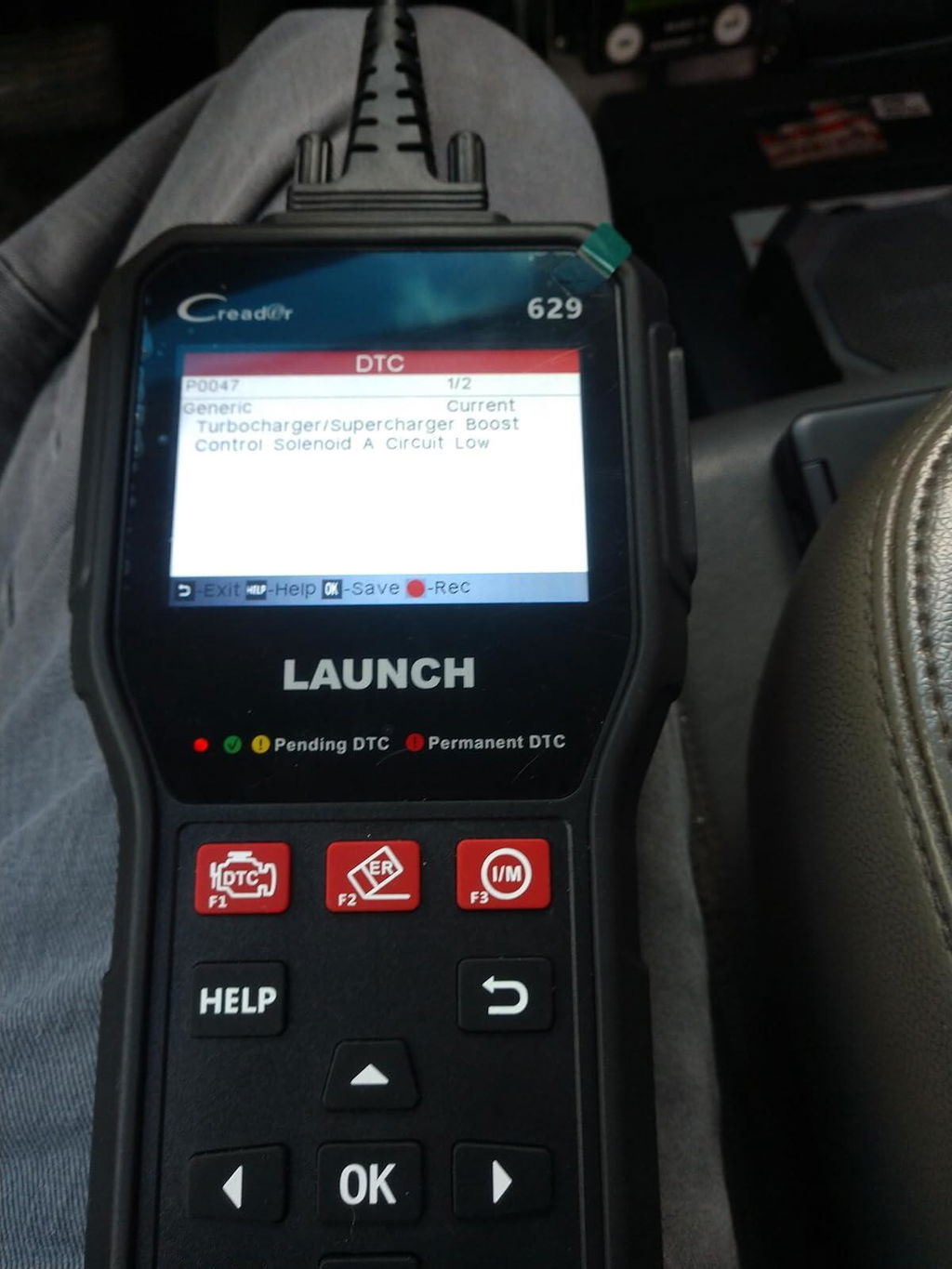
LAUNCH CR629 car code scanner supports Full OBD2 Functions including Read/Erase Codes, Live Data Stream, Freeze Frame Data, I/M Readiness Status, O2 Monitor Test, On-Board Monitor Test, Component Test, Vehicle Information Retrieval.
What can these functions do for you?
Turn the MIL off– After you get the diagnostic trouble codes erased, the check engine light can be off automatically
Pass the Smog Test – Check your car’s I/M Readiness status before the emission inspection. Take a well-running vehicle to pass the emission inspection successfully
Locate Emission Problems– Full Obd2 functions are significant for figuring out what the root cause is. The diagnostic information is comprehensive, reliable, accurate, and valuable for reference.
Reading / Erasing Codes finds out the problem and clear the code.
Read Freeze Frame allows vehicle to snapshot data once a code is stored.
Read Live Data Stream offers merges graphs for easy and intuitive diagnosis.
Vehicle Info reads the vehicle’s VIN, CIN, and CVN to save time.
O2 Sensor Test troubleshoots O2 sensors to improve fuel efficiency.
I/M Readiness checks if the car is ready for a smog test to avoid being fined.
On-Board Monitor Test reads the results of on-board diagnostic monitoring tests.
EVAP System Test commands the vehicle’s on-board computer to start the leak test.
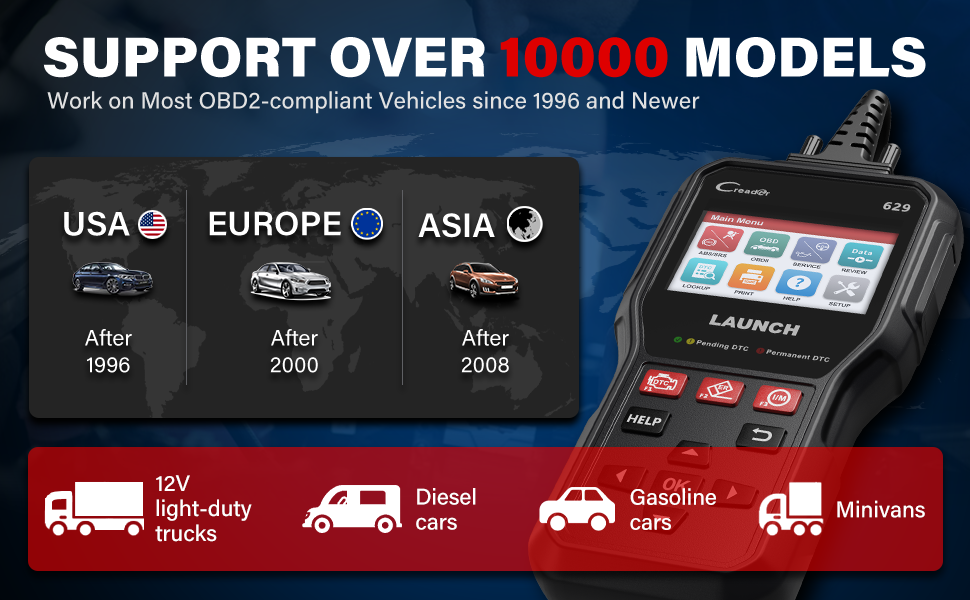
Wide Vehicle Coverage across the Global
Full OBD2 Functions –OBD2/EOBD Protocol Vehicles Available
ABS/SRS Diagnoses –42 Vehicle Brands Available
Oil Reset –53 Vehicle Brands Available
SAS Reset –41 Vehicle Brands Available
The amount of the available vehicle brands will increase as you update the scan tool LAUNCH CR629
All the compatible vehicle brands will increase as the CR629 is updated, fixed bugs, and Upgrade new make up to 2021 models. Works on most 1996 and newer OBDII compliant vehicles in the US, Europe, and Asia. Over 42 car brands including SUVs, minivans, 12v light-duty trucks.
Multilingual Support:
Select the language according to your habits. The available languages include English, French, German, Spanish, Portuguese, Russian, Japanese, and Italian.
No more Vague Check Engine Lights
L
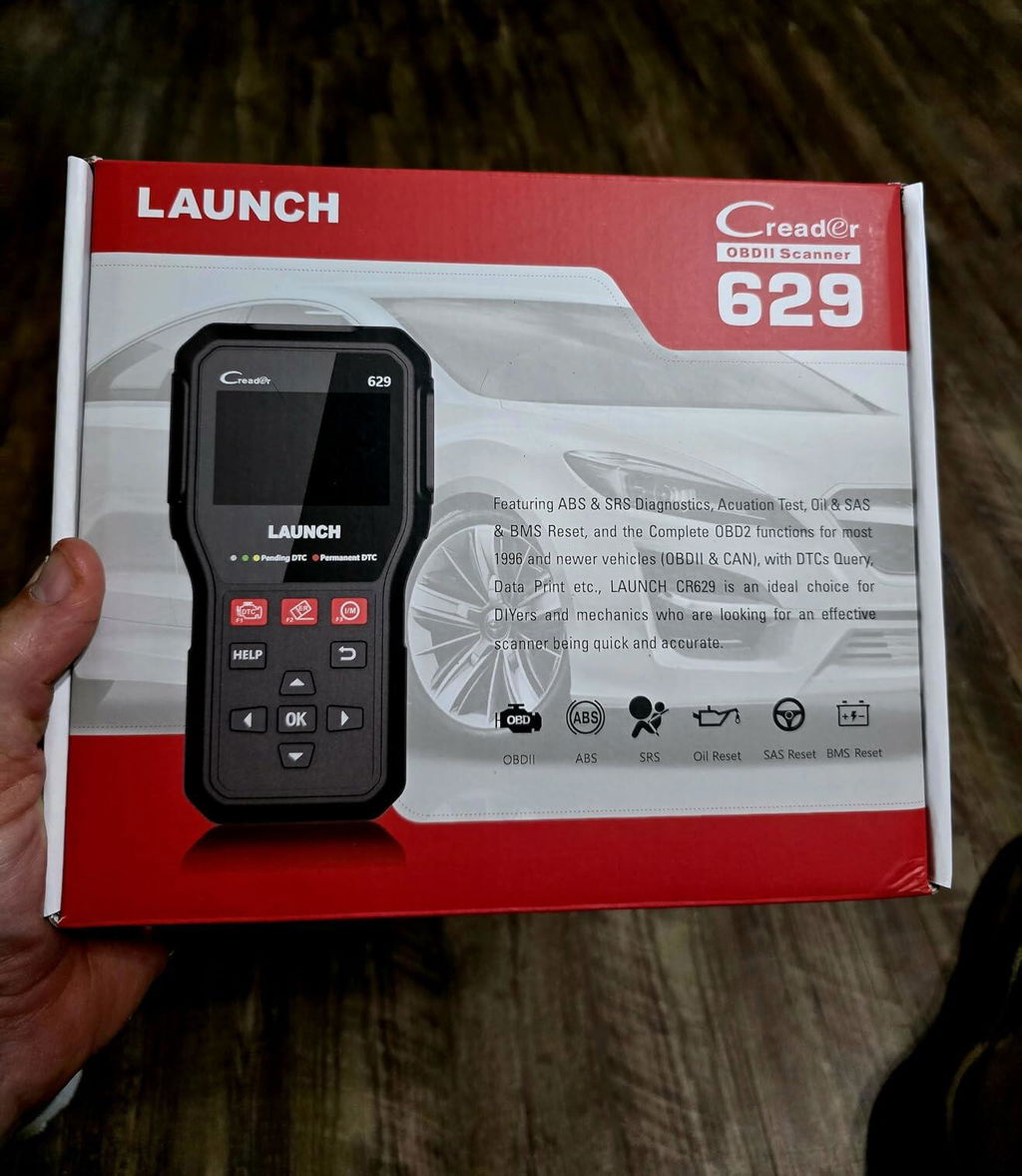
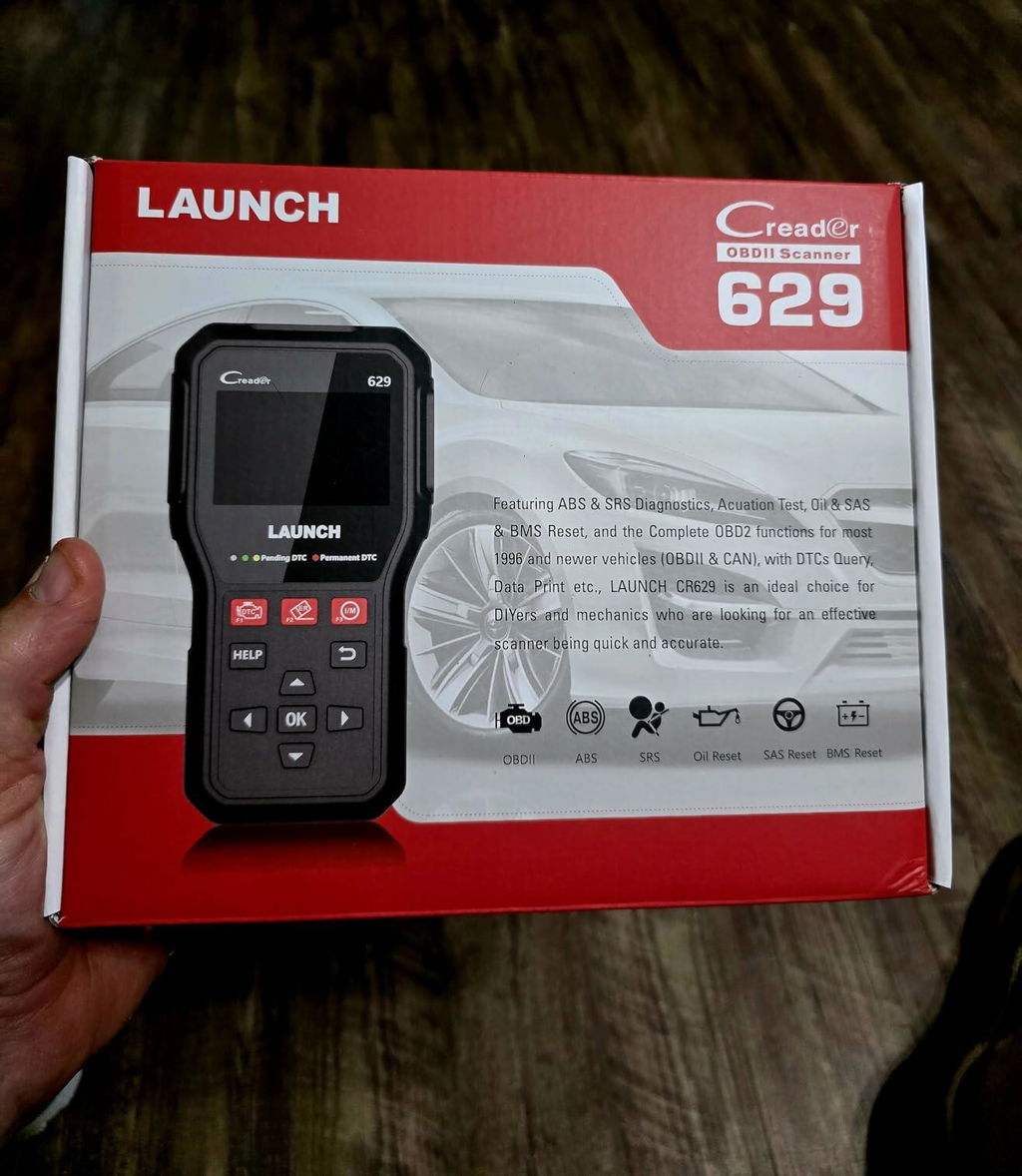
Bought this to reset a steering angle sensor on a 2010 Rogue we bought. Took all of about 2 minutes to reset. Works great, awesome screen.
L
Bought this to reset a steering angle sensor on a 2010 Rogue we bought. Took all of about 2 minutes to reset. Works great, awesome screen.
K
This is a fair scanner however it does not work on every car out there. But for the price not bad at all. Just read the web page well before you buy.
K
This is a fair scanner however it does not work on every car out there. But for the price not bad at all. Just read the web page well before you buy.

D
Works very well! Definitely worth the money. Has tons of service options!
D
Works very well! Definitely worth the money. Has tons of service options!

M
Great code reader easy to use and up grade
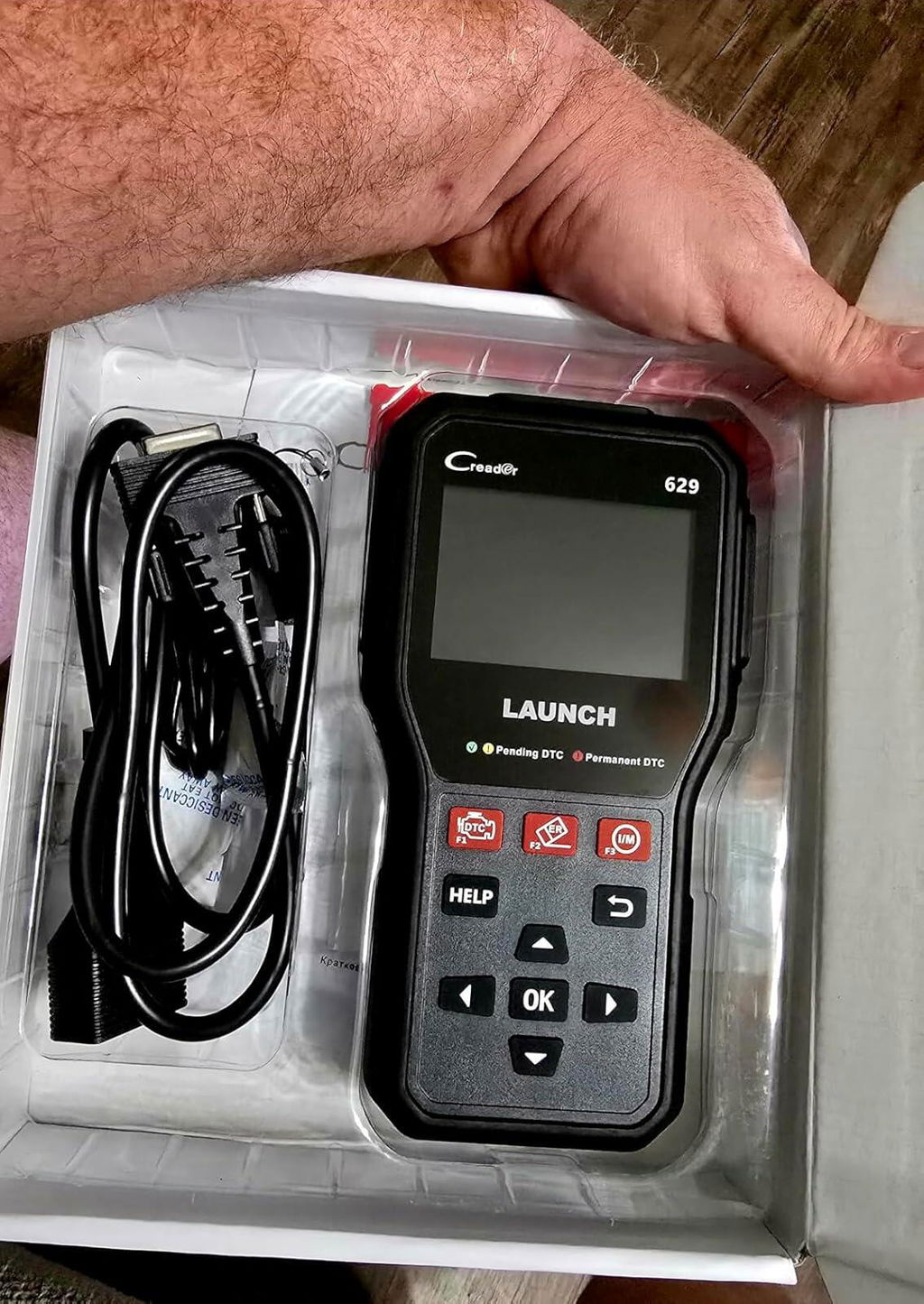
M
Great code reader easy to use and up grade

V
I replaced electric steering motor on a 14 Kia Forte and had all kind of lights on the dash. The SAS on the computer reset everything and it’s doing fine, great computer for the money.
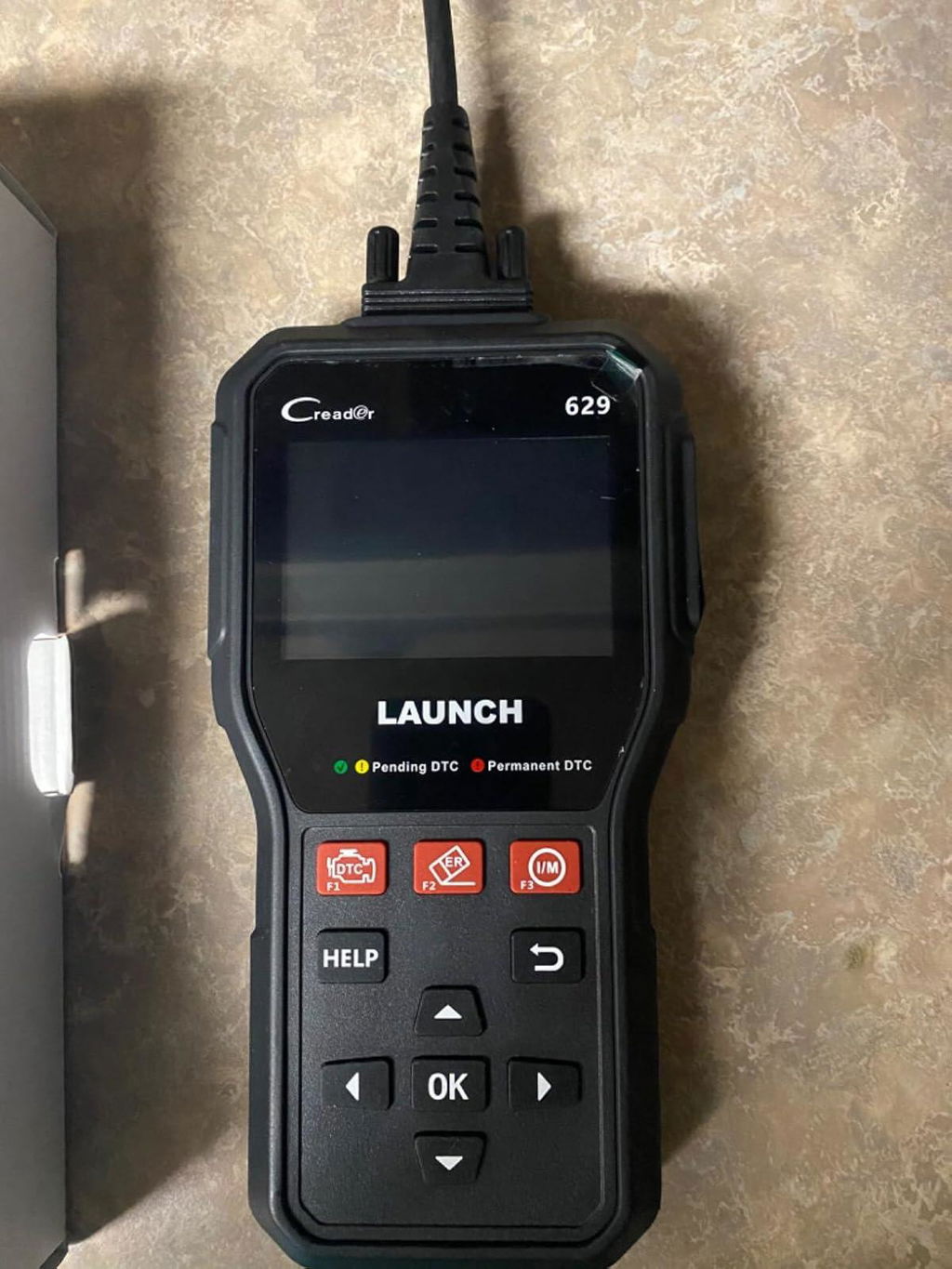
V
I replaced electric steering motor on a 14 Kia Forte and had all kind of lights on the dash. The SAS on the computer reset everything and it’s doing fine, great computer for the money.

M
Muy buen equipo, es una gran marca. Debiera haber disponible para comprar un estuche apropiado. Me está costando encontrar uno para sus medidas
M
Muy buen equipo, es una gran marca. Debiera haber disponible para comprar un estuche apropiado. Me está costando encontrar uno para sus medidas
M
This is a fair scanner however it does not work on every car out there. But for the price not bad at all. Just read the web page well before you buy.
M
This is a fair scanner however it does not work on every car out there. But for the price not bad at all. Just read the web page well before you buy.
C
This scanner does what it says it will do . Was able to determine what caused the check engine light on my 2012 Chevy Cruze.
C
This scanner does what it says it will do . Was able to determine what caused the check engine light on my 2012 Chevy Cruze.
L
Very good quality. Easy to use! Dors what it’s supposed to do!
L
Very good quality. Easy to use! Dors what it’s supposed to do!
S
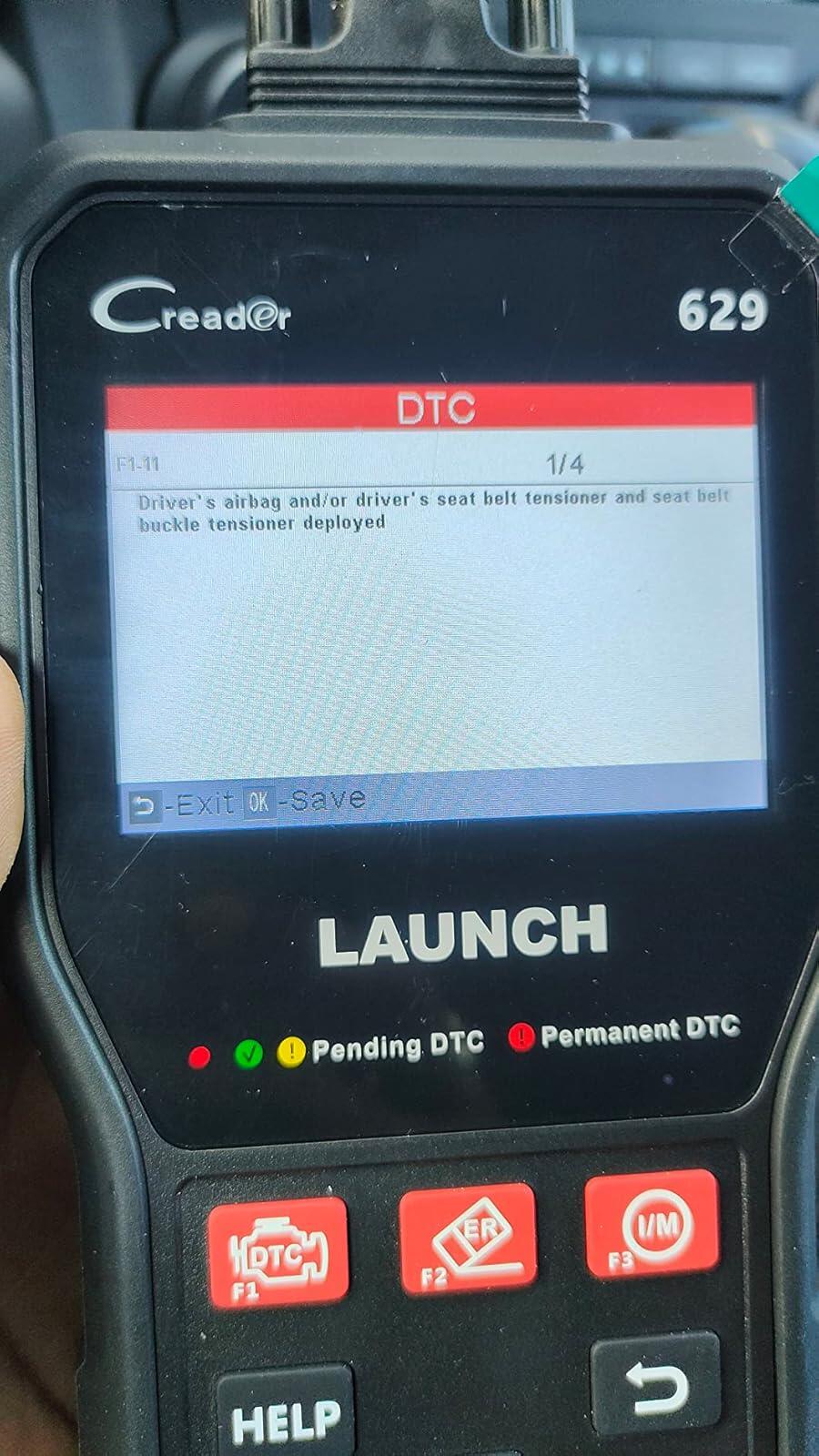
Perfect to find the codes for the airbag, abs, and many other codes
S
Perfect to find the codes for the airbag, abs, and many other codes
P
Needed to do a Steering Angle Sensor (SAS) Service Recalibration after replacing deteriorated steering wheel coupler on my 2010 Kia Forte. The Launch CR629 Scan Tool easily performed the SAS recalibration and cleared the "EPS" fault light on dashboard. The EPS light goes on after most work on a steering column. Excellent easy reset process with the tool. Critical Note: When performing an update on the tool's Software (recommended), the white side of Micro Memory Card faces up when removing/inserting into the CR629 Scan Tool but goes in the USB adapter with the white side face down (ie., opposite direction). This fact is not noted in instruction manual Software Update Procedure.
P
Needed to do a Steering Angle Sensor (SAS) Service Recalibration after replacing deteriorated steering wheel coupler on my 2010 Kia Forte. The Launch CR629 Scan Tool easily performed the SAS recalibration and cleared the "EPS" fault light on dashboard. The EPS light goes on after most work on a steering column. Excellent easy reset process with the tool. Critical Note: When performing an update on the tool's Software (recommended), the white side of Micro Memory Card faces up when removing/inserting into the CR629 Scan Tool but goes in the USB adapter with the white side face down (ie., opposite direction). This fact is not noted in instruction manual Software Update Procedure.
P
Doesnt work on my 2006 nissan or my honda civic 2000 model.Update.... customer service contacted me and tried to help me. They offered full refund to me when it didnt work. Fully recommend this seller solely for ease of mind they will ensure you are happy in the end!
P
Doesnt work on my 2006 nissan or my honda civic 2000 model.Update.... customer service contacted me and tried to help me. They offered full refund to me when it didnt work. Fully recommend this seller solely for ease of mind they will ensure you are happy in the end!
J
Device even works with Honda Rebel 1100 with an adapter. Works with cars via OBD II. Can graph well and do all I need.
J
Device even works with Honda Rebel 1100 with an adapter. Works with cars via OBD II. Can graph well and do all I need.
S
Bought this because it’s a commonly used brand that German auto mechanics and all other mechanics seem to use. This is probably the most affordable mainstream advanced code reader that you can get. Pairs very quickly, was packaged very nicely and does as it should. I’ll be using it on various cars, but so far my tests have proven that this is an excellent tool. Absolute steal for $85 when comparable with less features go for $150-$700.
M
Days ago my car had some strange light coming on the dashboard. With a very basic CEL scanner, I was not able to get the code. So I bought this one and after plugging it in the OBDII port it scans my car and returned the error code. Such a big relief that I did not need to be ripped off by the dealers. Got my car fixed at a local mechanic with the correct code in hand. wonderful feeling!
L
Bought this to reset a steering angle sensor on a 2010 Rogue we bought. Took all of about 2 minutes to reset. Works great, awesome screen.
L
Bought this to reset a steering angle sensor on a 2010 Rogue we bought. Took all of about 2 minutes to reset. Works great, awesome screen.
K
This is a fair scanner however it does not work on every car out there. But for the price not bad at all. Just read the web page well before you buy.
K
This is a fair scanner however it does not work on every car out there. But for the price not bad at all. Just read the web page well before you buy.
D
Works very well! Definitely worth the money. Has tons of service options!
D
Works very well! Definitely worth the money. Has tons of service options!
M
Great code reader easy to use and up grade
M
Great code reader easy to use and up grade
V
I replaced electric steering motor on a 14 Kia Forte and had all kind of lights on the dash. The SAS on the computer reset everything and it’s doing fine, great computer for the money.
V
I replaced electric steering motor on a 14 Kia Forte and had all kind of lights on the dash. The SAS on the computer reset everything and it’s doing fine, great computer for the money.
M
Muy buen equipo, es una gran marca. Debiera haber disponible para comprar un estuche apropiado. Me está costando encontrar uno para sus medidas
M
Muy buen equipo, es una gran marca. Debiera haber disponible para comprar un estuche apropiado. Me está costando encontrar uno para sus medidas
M
This is a fair scanner however it does not work on every car out there. But for the price not bad at all. Just read the web page well before you buy.
M
This is a fair scanner however it does not work on every car out there. But for the price not bad at all. Just read the web page well before you buy.
C
This scanner does what it says it will do . Was able to determine what caused the check engine light on my 2012 Chevy Cruze.
C
This scanner does what it says it will do . Was able to determine what caused the check engine light on my 2012 Chevy Cruze.
L
Very good quality. Easy to use! Dors what it’s supposed to do!
L
Very good quality. Easy to use! Dors what it’s supposed to do!
S
Perfect to find the codes for the airbag, abs, and many other codes
S
Perfect to find the codes for the airbag, abs, and many other codes
P
Needed to do a Steering Angle Sensor (SAS) Service Recalibration after replacing deteriorated steering wheel coupler on my 2010 Kia Forte. The Launch CR629 Scan Tool easily performed the SAS recalibration and cleared the "EPS" fault light on dashboard. The EPS light goes on after most work on a steering column. Excellent easy reset process with the tool. Critical Note: When performing an update on the tool's Software (recommended), the white side of Micro Memory Card faces up when removing/inserting into the CR629 Scan Tool but goes in the USB adapter with the white side face down (ie., opposite direction). This fact is not noted in instruction manual Software Update Procedure.
P
Needed to do a Steering Angle Sensor (SAS) Service Recalibration after replacing deteriorated steering wheel coupler on my 2010 Kia Forte. The Launch CR629 Scan Tool easily performed the SAS recalibration and cleared the "EPS" fault light on dashboard. The EPS light goes on after most work on a steering column. Excellent easy reset process with the tool. Critical Note: When performing an update on the tool's Software (recommended), the white side of Micro Memory Card faces up when removing/inserting into the CR629 Scan Tool but goes in the USB adapter with the white side face down (ie., opposite direction). This fact is not noted in instruction manual Software Update Procedure.
P
Doesnt work on my 2006 nissan or my honda civic 2000 model.Update.... customer service contacted me and tried to help me. They offered full refund to me when it didnt work. Fully recommend this seller solely for ease of mind they will ensure you are happy in the end!
P
Doesnt work on my 2006 nissan or my honda civic 2000 model.Update.... customer service contacted me and tried to help me. They offered full refund to me when it didnt work. Fully recommend this seller solely for ease of mind they will ensure you are happy in the end!
J
Device even works with Honda Rebel 1100 with an adapter. Works with cars via OBD II. Can graph well and do all I need.
J
Device even works with Honda Rebel 1100 with an adapter. Works with cars via OBD II. Can graph well and do all I need.
S
Bought this because it’s a commonly used brand that German auto mechanics and all other mechanics seem to use. This is probably the most affordable mainstream advanced code reader that you can get. Pairs very quickly, was packaged very nicely and does as it should. I’ll be using it on various cars, but so far my tests have proven that this is an excellent tool. Absolute steal for $85 when comparable with less features go for $150-$700.
M
Days ago my car had some strange light coming on the dashboard. With a very basic CEL scanner, I was not able to get the code. So I bought this one and after plugging it in the OBDII port it scans my car and returned the error code. Such a big relief that I did not need to be ripped off by the dealers. Got my car fixed at a local mechanic with the correct code in hand. wonderful feeling!
Certificate Files
Official LAUNCH Authorized Dealer
Genuine LAUNCH diagnostic tools, reliable support and a more confident purchase experience.
We provide authentic LAUNCH products through authorized sales channels, with supported software updates, warranty service and professional technical assistance.
Why Buy from an Authorized LAUNCH Dealer?
Buying from an authorized dealer helps ensure your LAUNCH diagnostic tool is genuine, properly supported and eligible for official services.
100% Genuine Products
Authentic LAUNCH diagnostic tools sourced through authorized distribution channels.
Official Software Support
Access supported diagnostic software, vehicle coverage and available software updates.
Warranty Protection
Eligible products include warranty support according to the terms listed on each product page.
Professional Support
Get help with product selection, compatibility, setup, software updates and technical questions.
Official LAUNCH Authorization

Our authorization confirms that we are approved to distribute genuine LAUNCH diagnostic products through authorized sales channels.
Why Genuine LAUNCH Matters
Professional diagnostic tools depend on more than hardware. Genuine products provide access to supported software, valid device activation and reliable after-sales service.
Reliable Activation
Valid product identification and supported device activation.
Software & Vehicle Coverage
Access supported diagnostic software, vehicle data and available updates.
After-Sales Support
Receive assistance for eligible product, software and warranty needs.
Unauthorized or cloned devices may experience activation, update, compatibility or warranty limitations.
Support Before & After Your Purchase
Our team can assist throughout the entire purchase and ownership process.
Before Purchase
-
Vehicle compatibility
-
Diagnostic function confirmation
-
Product comparison
-
Accessory compatibility
After Purchase
-
Product activation
-
Software updates
-
Technical support
-
Warranty assistance
Buy LAUNCH with Confidence
Choose genuine LAUNCH diagnostic tools backed by reliable software support and professional service.
Genuine Products
Authentic LAUNCH tools and accessories.
Software Support
Supported software and vehicle coverage.
Professional Assistance
Help with compatibility, setup and product use.
Reliable After-Sales Service
Support when you need it after purchase.
Frequently Asked Questions
Are the LAUNCH products sold on this website genuine?
Yes. We provide genuine LAUNCH diagnostic products through authorized sales channels.
Do LAUNCH diagnostic tools include software updates?
Most eligible products include a free software update period. The exact update period varies by model.
Can you help confirm vehicle compatibility?
Yes. Provide your vehicle make, model, year and required diagnostic function, and our team can help check compatibility.
Do all LAUNCH products include the same warranty?
No. Warranty coverage may vary by product. Please refer to the warranty information listed on the corresponding product page.
Can you help with product activation?
Yes. Our support team can assist with general activation, registration and setup questions for eligible products.
✅ Fast order processing
You will receive the orders within 24 hours of payment confirmation (excluding weekends and public holidays). During peak seasons or holidays, processing times may be slightly extended. In the event of delays, we will take all necessary steps to minimize them.
To place an order, choose your region and click the link below:
-United States – https://us.launchx431pro.com/
-United Kingdom – https://uk.launchx431pro.com/
-European Union – https://www.launchx431pro.com/
✅ Local warehouses shipment
All orders are shipped from our warehouses in the USA, the United Kingdom, and Germany using premium international carriers to ensure your tools arrive safely and on time.
| Region | Shipping Location | Estimated Delivery Time |
| United States | PERTH AMBOY, NJ | 3–5 business days |
| United Kingdom | Dunstable | 3–5 business days |
| European | Ginsheim-Gustavsburg, Frankfurt | 3–7 business days |
| Other Countries | HongKong | 7–15 business days |
✅ Safe and reliable delivery
You can count on fast, dependable delivery. We work with trusted international carriers like DHL, UPS, USPS, FedEx, and DPD to get your order to you safely.
NOTE: Delivery to some remote or rural areas is not available. If you're unsure whether we ship to your location, feel free to contact our support team before placing your order.
✅ Free Shipping on Local Orders
Local orders (US, UK, EU) ship for free and with no tax.
For orders shipped to Canada or other non-local countries (excluding the US, UK, and EU), import taxes or customs duties may apply upon delivery.
✅ Customs & duties guidance
For customers outside Europe, customs fees are determined by your local government. As these charges vary by country and are beyond our control, we recommend contacting your local customs office before placing your order to understand any applicable fees, duties, or taxes.
✅ More shipment inquiries
For any shipping-related questions, our customer service team is here to help.
Email: ussupport@launchx431pro.com
WhatsApp: +86-180-2870-0839
Business hours: Monday–Friday, 9:00 AM – 6:00 PM (GMT+8)

Launch Upgrade Card (All Products)
Launch Software Update Card
Renew Your LAUNCH Software Update Service
Keep your compatible LAUNCH diagnostic tool up to date with the latest software, vehicle coverage, and available features.
Select your device model from the options above to purchase the corresponding software update service.
Important Notes
-
Digital Service — No Physical Shipping Required
This is a software update service only. No physical product will be shipped. -
Please Provide Your Serial Number After Purchase
After completing your order, email your device Serial Number (S/N) to:
ussupport@launchx431pro.com
You can usually find the S/N on the back of your device or in the device settings.
-
Processing Time
Software update activation is usually completed within 2 business days after we receive and verify your device information. -
Software Update Only
This service renews the software update period only and does not include hardware warranty coverage. -
Compatibility Confirmation Recommended
Please select the correct device model before purchase. If you are unsure which update option is compatible with your device, contact us with your model and serial number before ordering. -
Digital Product Policy
Due to the digital nature of this service, orders are non-refundable once the update service has been activated or delivered.
How It Works
Step 1 — Choose Your Device
Select the correct LAUNCH device model from the available options.
Step 2 — Complete Your Order
Place your order and complete payment online.
Step 3 — Send Us Your Serial Number
Email your device S/N to ussupport@launchx431pro.com together with your order number.
Step 4 — We Activate the Update Service
Our team will verify your information and activate the corresponding software update service.
Step 5 — Update Your Device
Once activated, connect your device to the internet and open the Software Update section to download the latest available software.
Why Renew Your Software?
Stay Up to Date
Access the latest available software and vehicle coverage for your device.
Expand Vehicle Coverage
Keep compatibility with newer supported vehicle models and systems.
Maintain Diagnostic Capability
Continue using updated diagnostic functions, service functions, and available software features.
No Shipping Required
The entire process is completed online.
Need Help Choosing the Right Update Option?
Not sure which update service fits your device?
Send us your:
Device Model
Serial Number (S/N)
Order Number, if already purchased
Email: ussupport@launchx431pro.com
We’ll help confirm the correct update option before activation.