


>> Mechanics with 40 years of experience Highly Recommended :Bi-Directional Diagnostic Scan tool

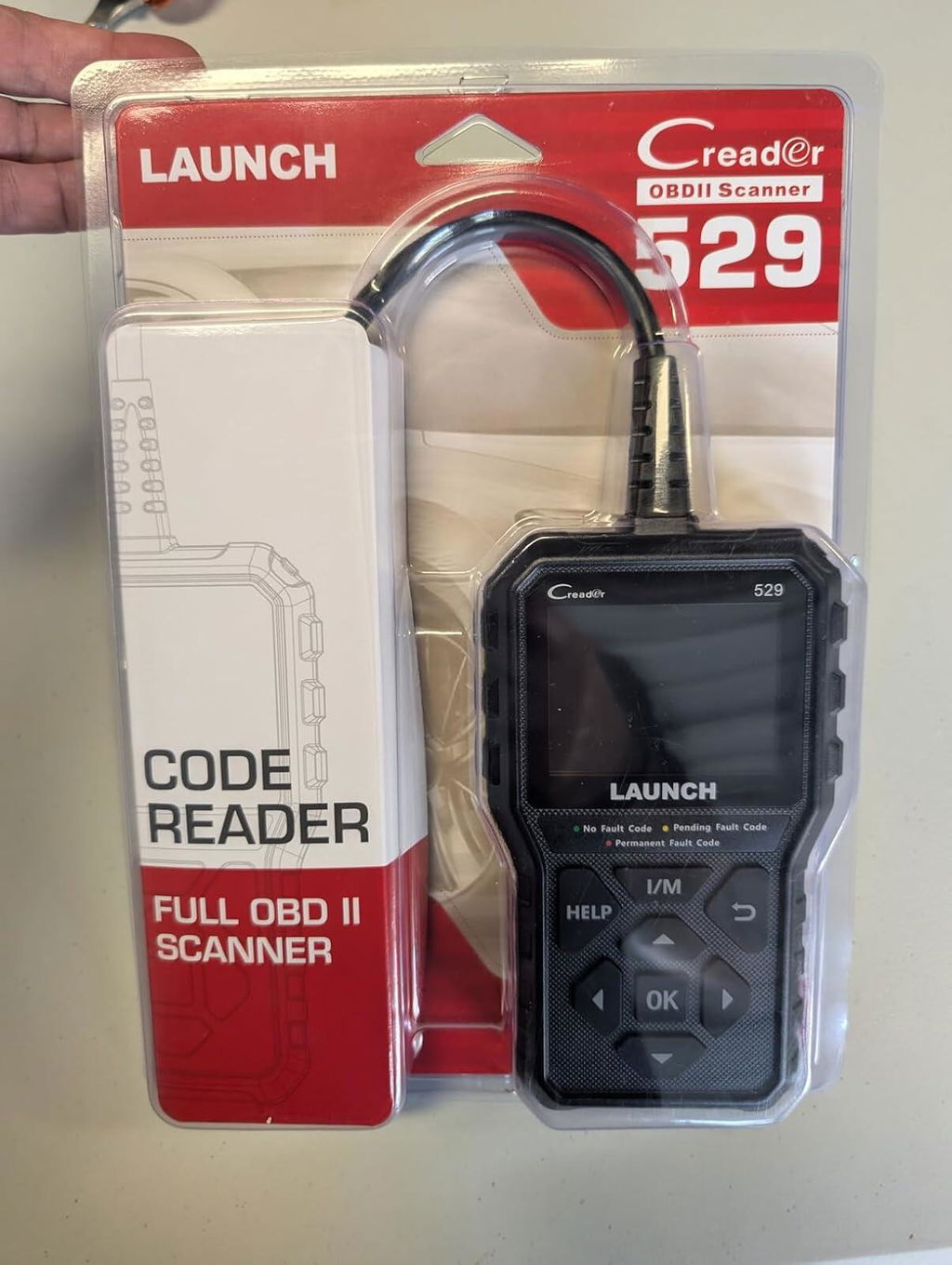
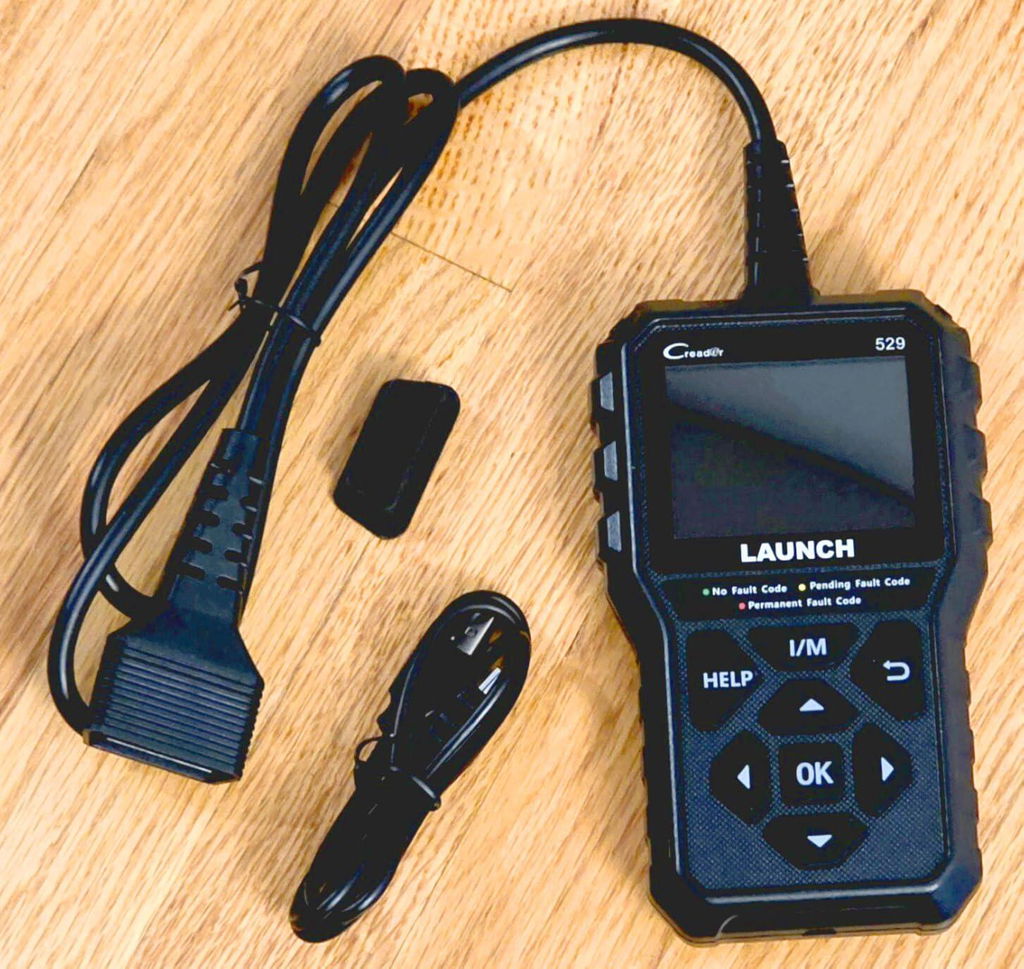
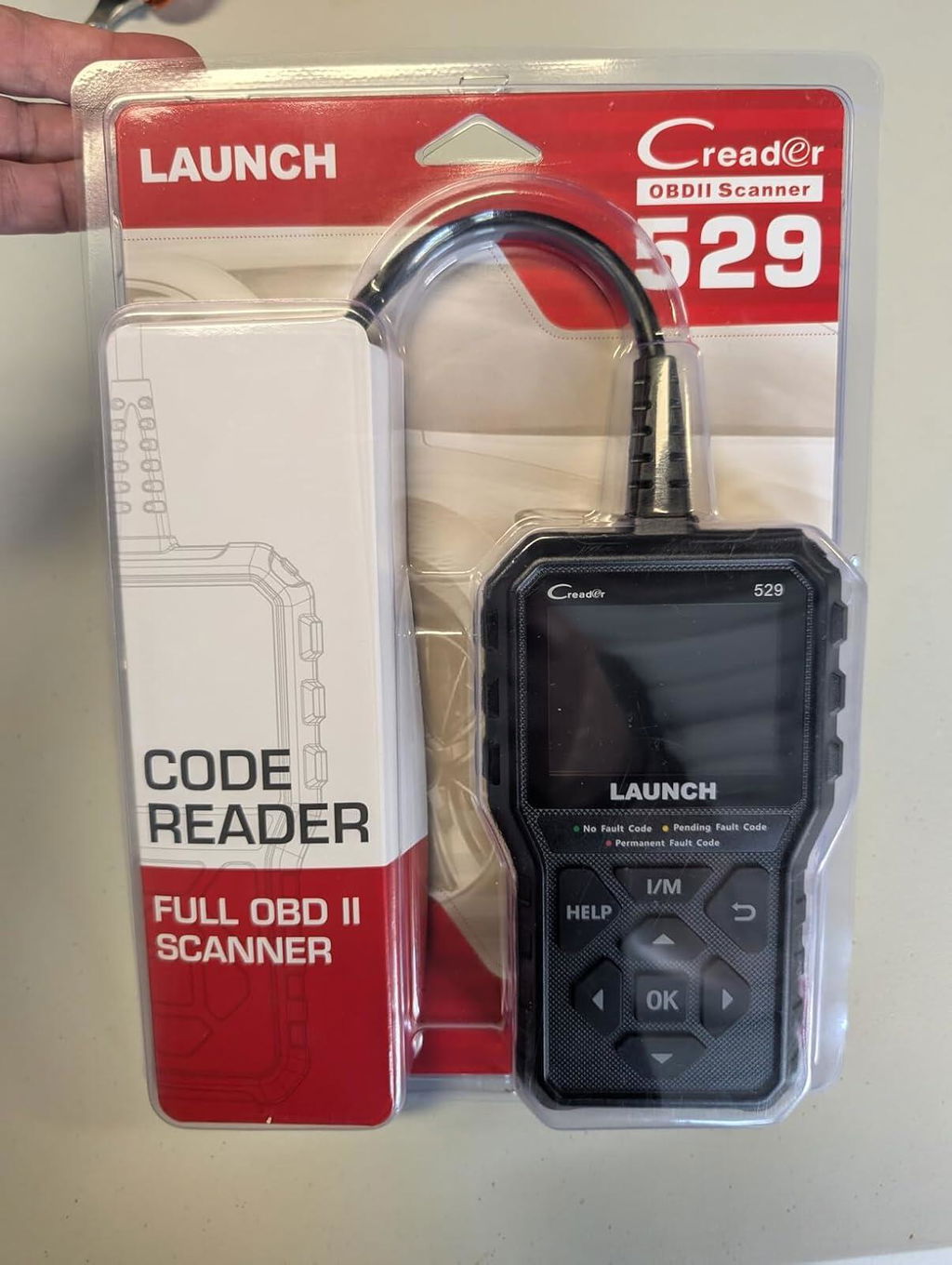
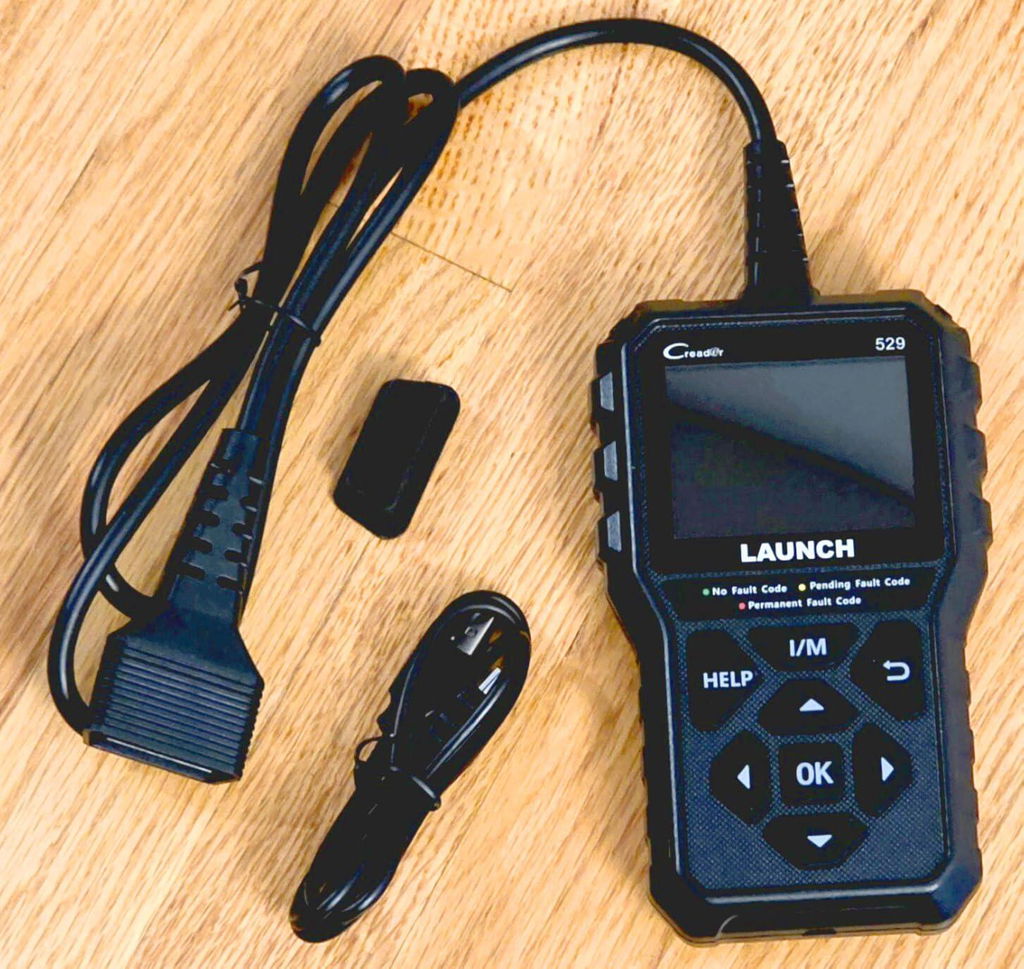
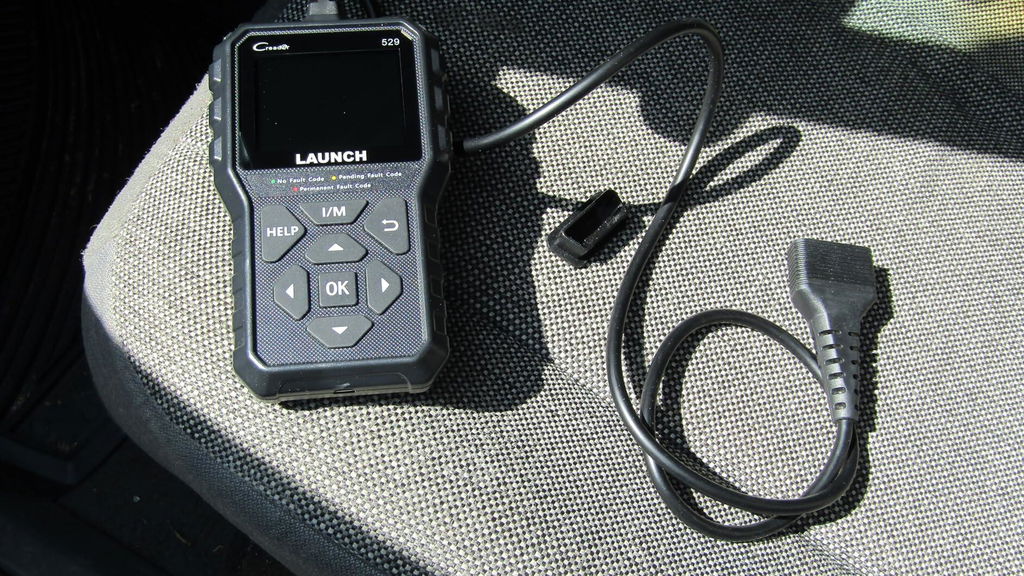
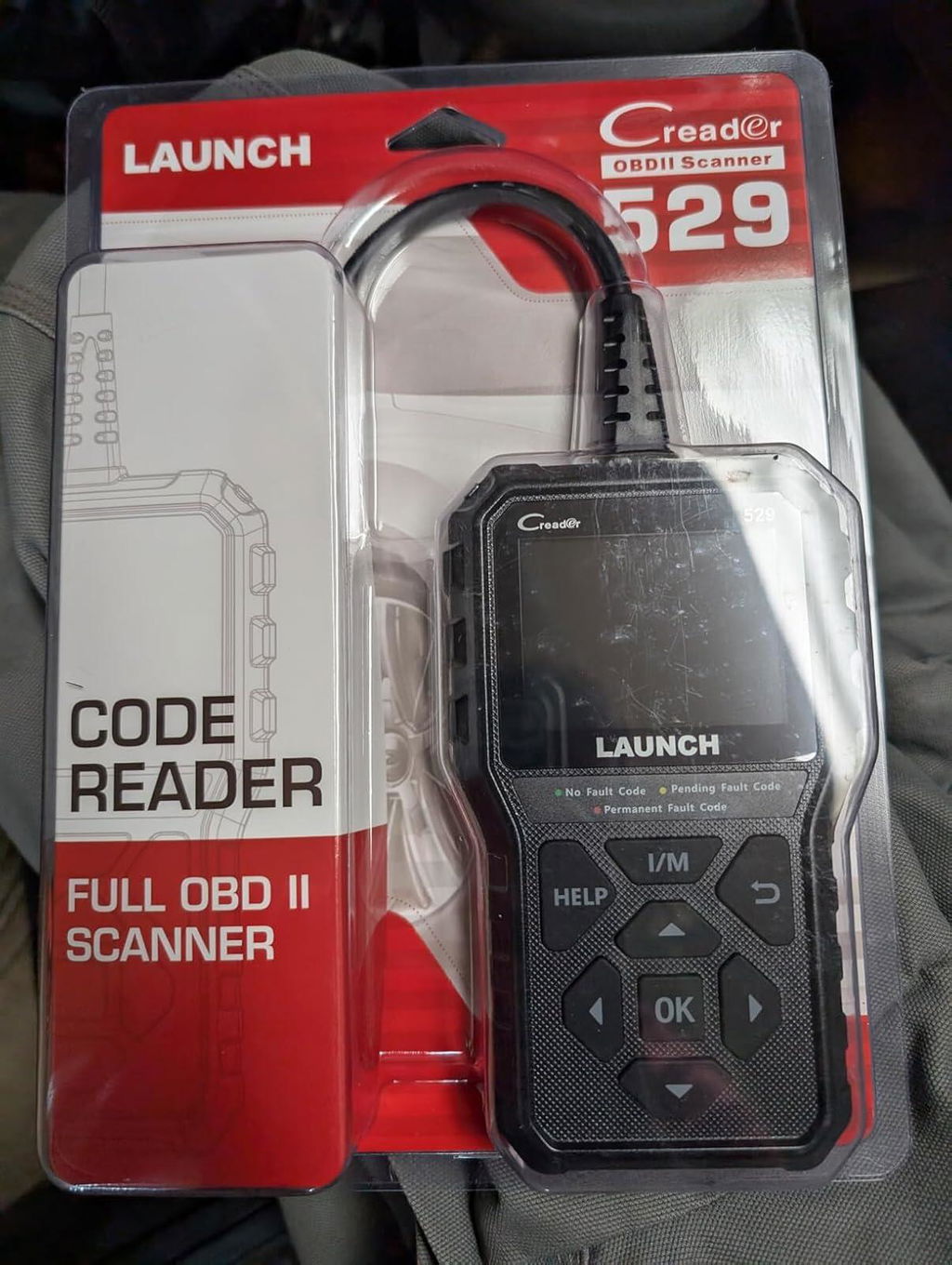
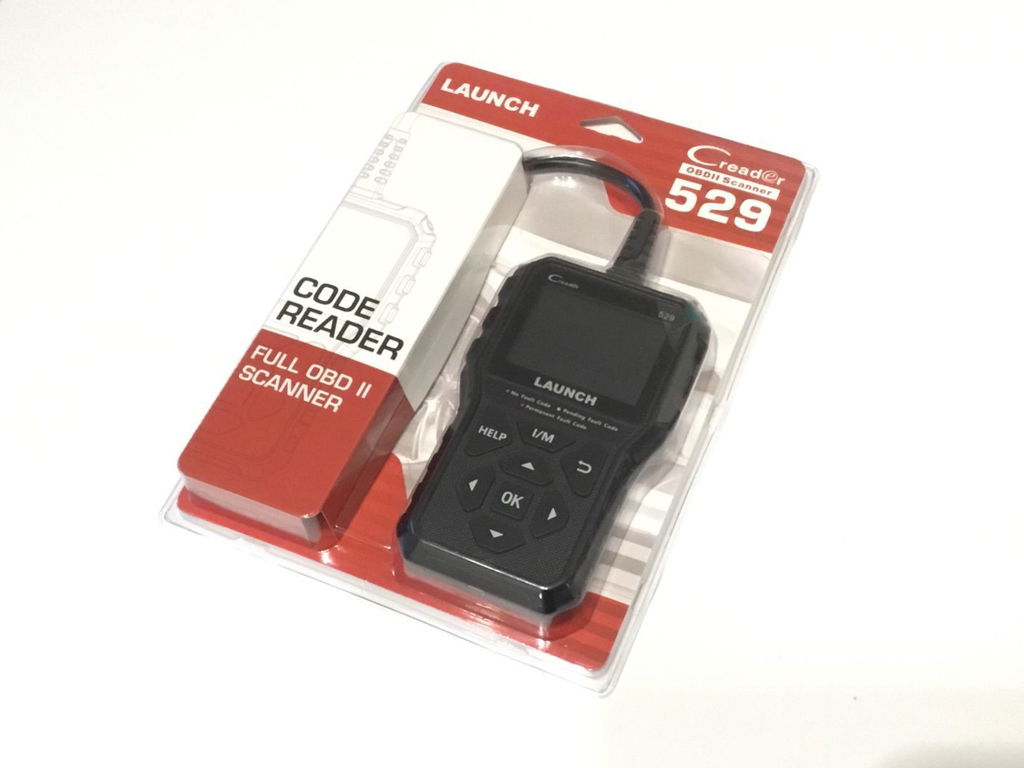
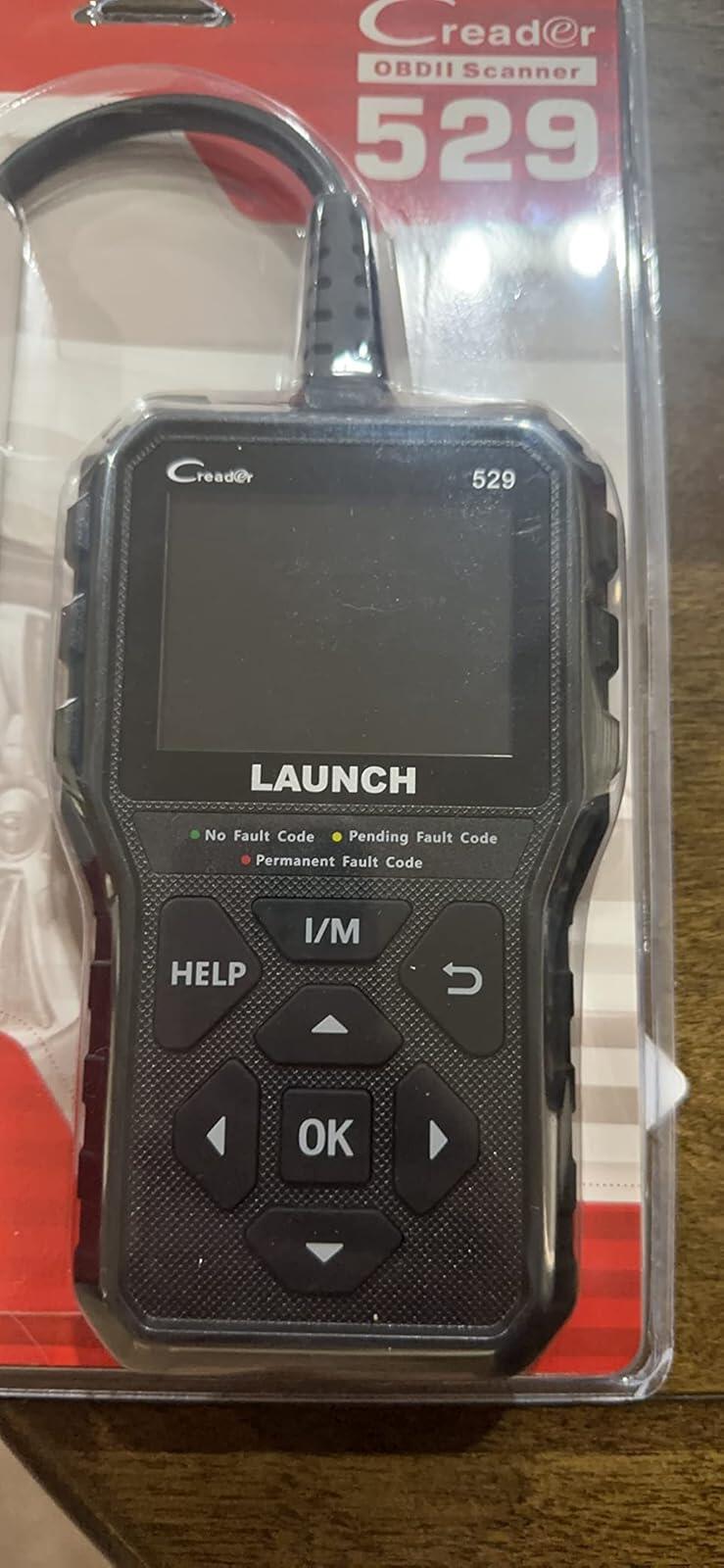
LAUNCH CR529
>> Add-on Practical Features:1. Supports multiple code requests: Generic, manufacturer specific and pending codes.
2. Clears codes, turns off Check Engine Light (CEL) and resets monitors.
3. DTC definition can be automatically displayed after reading, press "HELP" button with DTC guide for possible causes if codes show the small "?" icon.
4. Reads freeze frame data which shows engine conditions such as fuel trim, fuel pressure, engine coolant temp, etc. at the time the Malfunction Indicator Lamp(MIL) was set.
5. Reads, records, graphs & playbacks(data logging) live sensor data.
6. Reads live O2 sensor/on-board monitor test data.(Full OBD modes including Mode 6 and Mode 8)
>> Enhanced OBD II functions
CR529 obd2 car scanner can not only read and clear engine fault codes, save money for you, but also have some enhanced functions which could help you find some deep problems so that makes your diagnosis easier.
1.LED Notifications: Red-Yellow-Green LEDs and build-in speaker indicate the readiness status for smog check. This engine diagnostic tool can also help catch intermittent problems or confirm repairs during a drive cycle.
2.Data Log: Launch CR529 check code reader records PIDs for later use to help you diagnose intermittent driving performance problems which can not be determined by any other methods.
3.DTC Help: Press "HELP" button with DTC guide for possible causes if codes show the small "?" icon.
4.VIN Retrival: Automatic VIN acquisition and decoding make it much easier to read manufacturer specific codes and enhanced mode 6 data.
5.Print Data: If you are unable to determine the problem, you can print out the diagnostic data and send the data to your mechanic for help.

Launch CR529, A Must Check Engine Code Reader for Every End-Users & DIYers
- Are you interested in saving money on check engine light repairs?
- Do you want to know what happened in your car before you go to the auto shop?
- Don’t you want no sneaky mechanic being likely to try to take advantage of you?
Then you need this LAUNCH all-in-one check engine light code reader CR529.
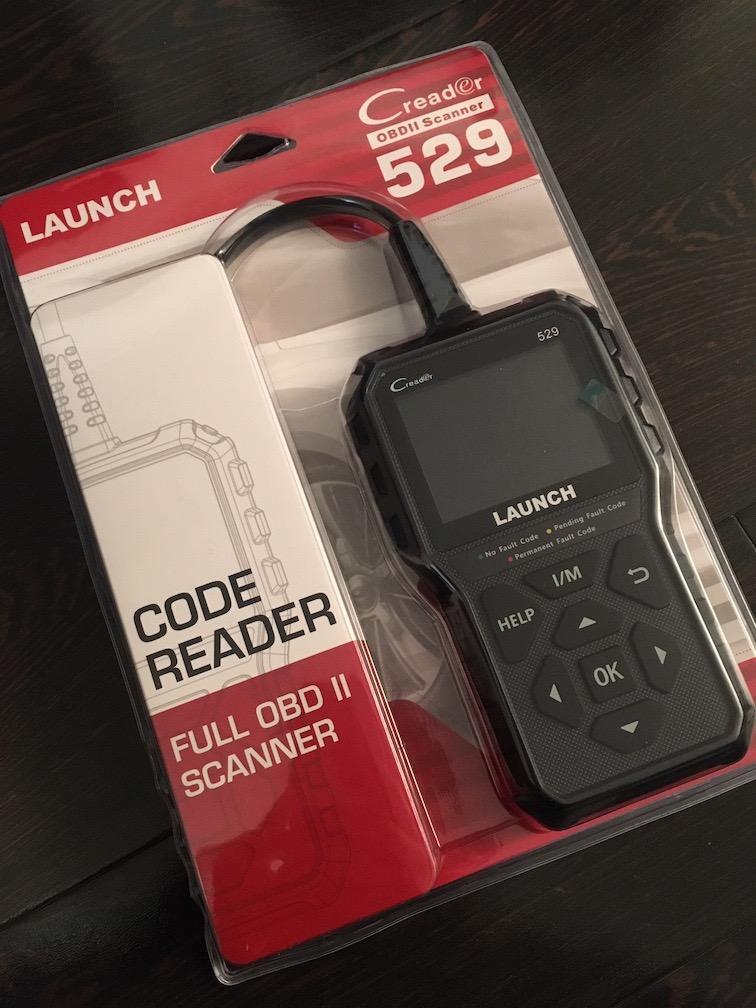
It allows you to switch off MIL or Check Engine Light faults in seconds. With the I/M shortcut key, you can get quick access to the I/M readiness function.
The following 3 LEDs are used as visual aids to make it easier to determine engine system conditions.
GREEN LED (No Fault Code) - Indicates that all engine systems are running normally
YELLOW LED (Pending Fault Code) - Indicates the currently displayed DTC is a Pending DTC
RED LED (Permanent Fault Code) - Indicates the currently displayed DTC is a Permanent DTC
LAUNCH CR529 - An Advanced OBD2 Scanner
Record & Review & Print
The DTC, Data Streams, and Freeze Frame can be recorded in this OBDII scan tool so that you can review the data repeatedly when repairing. Also you can print the records out via a USB cable connection to a PC, and then share the records with mechanics for professional advice
DTC Lookup & Help Key
Featuring the DTC Lookup, Launch CR529 can save you the trouble of looking for the meaning of a DTC on the internet, and show you the detailed definition from the DTC library. Moreover, the HELP shortcut can help you quickly access to the detailed descriptions/tips for diagnostics.
Retrieve VIN, CIN, CVN
This Launch scan tool CR529 can retrieve the vehicle information, such as VIN (Vehicle Identification Number), CID (Calibration ID) and CVN (Calibration verification number), etc., which offers help and convenience to users for repair or parts replacement.
Plug & Play + No Battery
Launch CR529 OBD2 Scanner is a “Plug and Play” device without battery for not worrying about battery drain. When you plug its diagnostic cable into the vehicle’s DLC socket, the code reader will get the power directly from the vehicle and start working, which is pretty easy for beginners.
Lifetime Update via a PC
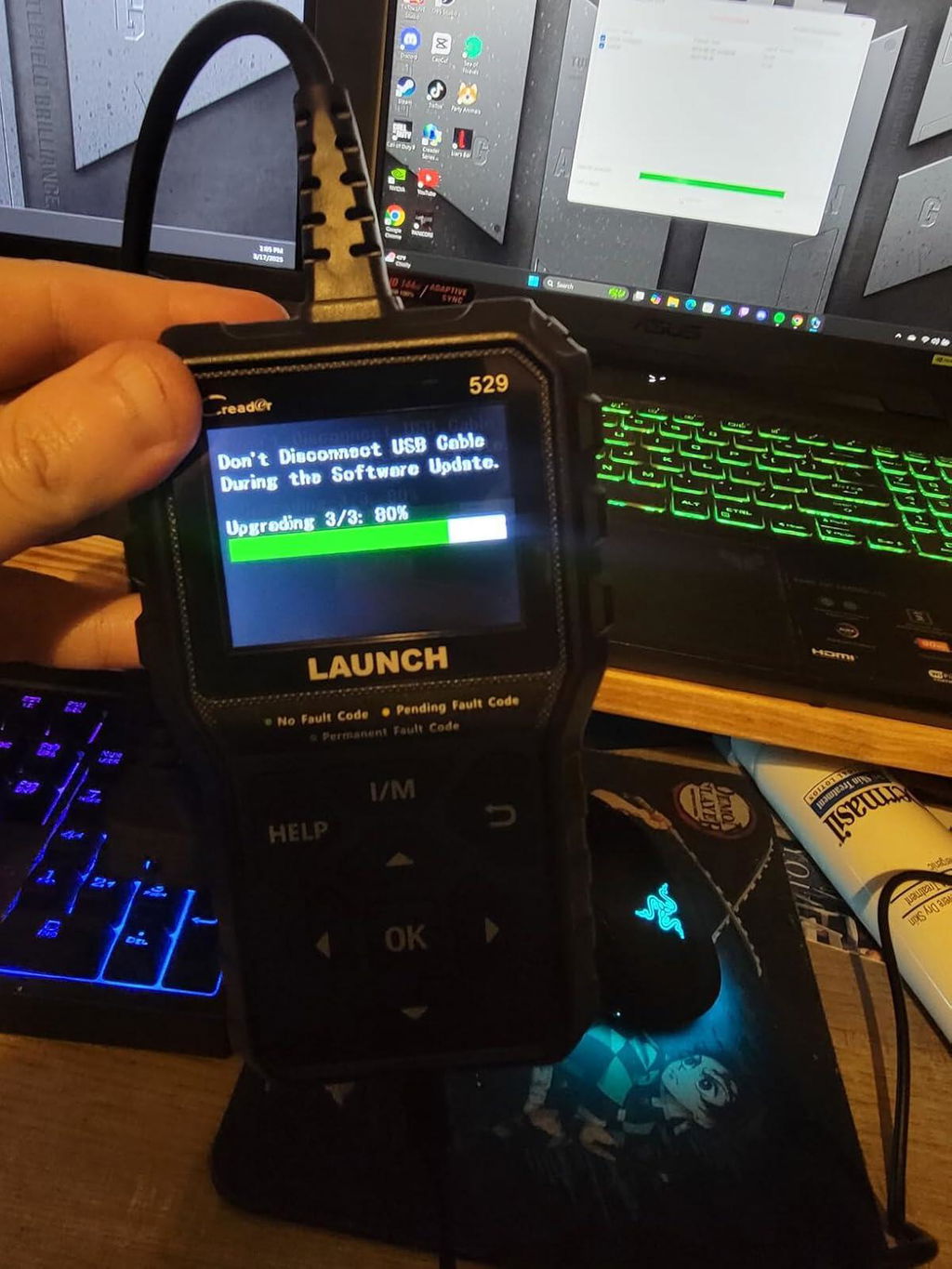
You can contact with us by email directly for getting the Update Tool , then connect this OBD2 scanner to a PC via the USB cable, and choose the latest version to update. Notice: Launch CR529 connecting with PC only support Windows, no MAC book. (It's not easy to install the update tool with Launch Official Website because of some prompts)
2.8″Colorful LCD Screen
This code reader comes with a 2.8″ screen for good visual effects. So it is capable of completely displaying the menu interface and its contents. Besides, the colorful LCD display also makes it possible to indicate test results clearly when the environment is dim.
Wide Vehicle Compatibility
As it supports all OBDII protocols: KWP2000, ISO9141, J1850 VPW, J1850 PWM and CAN (Controller Area Network), the CR529 scan tool can work with most 1996 and newer OBDII compliant vehicles sold in the American, European, and Asian.
Multiple Languages Support
A multilingual data support system with 7 universal languages: English, Portuguese, Russian, Italian, Spanish, French and German within this OBD2 scanner’s bracket, which allows for the reading of data in the user’s language of choice.So you need no effort in trying to get translations, as far as the code meanings and repair formulas are concerned.
A
This is a really handy tool to keep in the truck!You can check your engine codes (and clear them if you want) as well as emissions test readiness, oxygen sensors and even get live running diagnostics.To be honest, it can do more than I even know how to do.It comes with a usb cord you can use to update it periodically as well.All around, great value and very useful!
F
For the price, this scanner does a lot.First off, the build quality is pretty decent.It doesn't feel flimsy, the buttons have a good feel to them, the screen is nice and clear.Next, and this is a big one for me, it has FREE lifetime updates.Of course, this does depend on the company lasting a lifetime, but if it will at least be a decade, I'd say I have gotten my money's worth.It easily connected to my 2025 Kia Soul and I was able to check for codes and the added bonus on this scanner is that it can do live data.If you know what you are doing, this is a game changer.At this price point, it's unheard of.Another thing I really like is that it shows the readiness of the various modules.I have scanners that are 2x this much that don't do these two things.
A
This is a really handy tool to keep in the truck!You can check your engine codes (and clear them if you want) as well as emissions test readiness, oxygen sensors and even get live running diagnostics.To be honest, it can do more than I even know how to do.It comes with a usb cord you can use to update it periodically as well.All around, great value and very useful!
F
For the price, this scanner does a lot.First off, the build quality is pretty decent.It doesn't feel flimsy, the buttons have a good feel to them, the screen is nice and clear.Next, and this is a big one for me, it has FREE lifetime updates.Of course, this does depend on the company lasting a lifetime, but if it will at least be a decade, I'd say I have gotten my money's worth.It easily connected to my 2025 Kia Soul and I was able to check for codes and the added bonus on this scanner is that it can do live data.If you know what you are doing, this is a game changer.At this price point, it's unheard of.Another thing I really like is that it shows the readiness of the various modules.I have scanners that are 2x this much that don't do these two things.
C
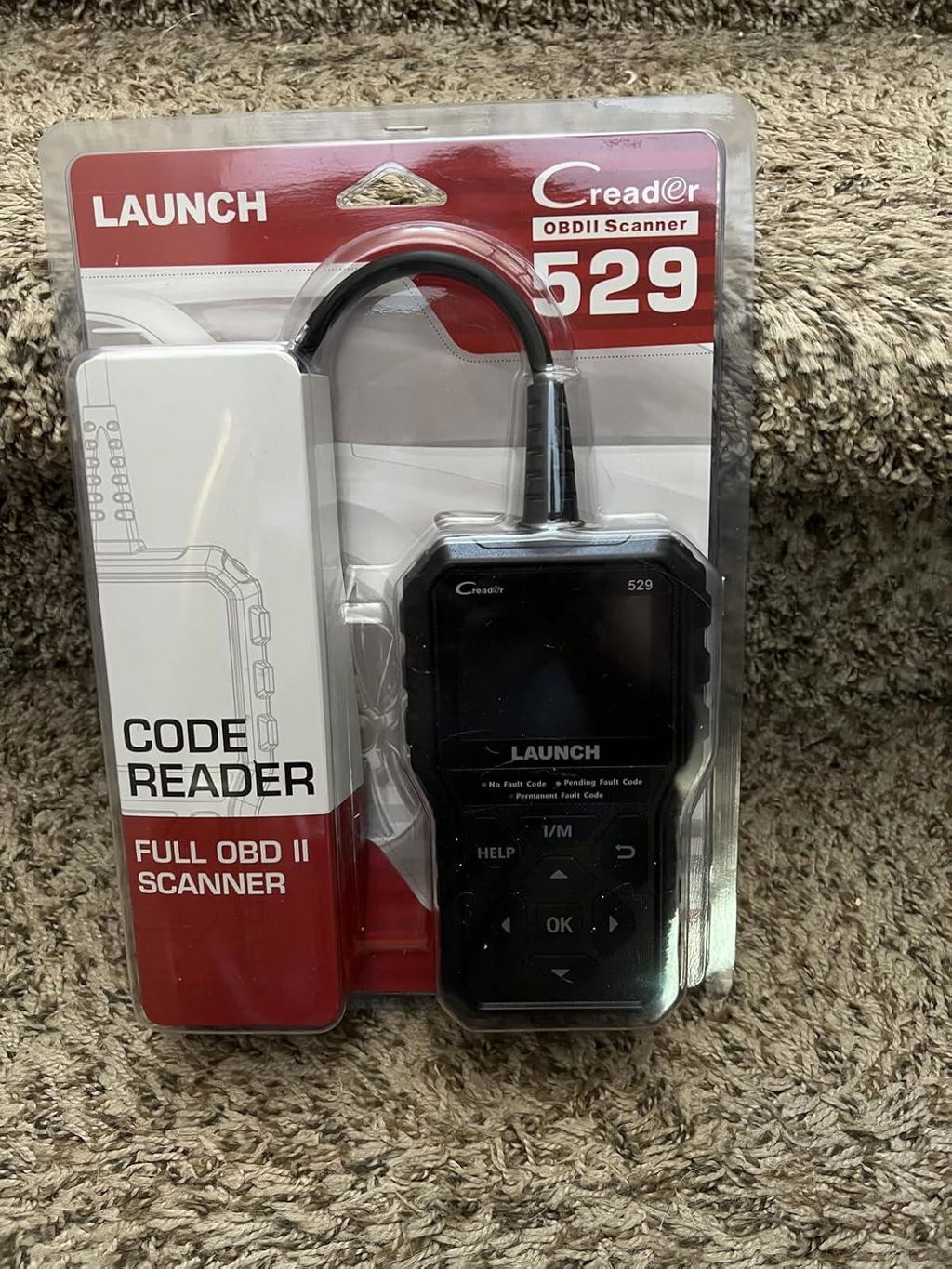
My nephew is the go to person for car issues so I got him this launch cr592. He is very happy with it because now he doesn’t have to take the vehicle to one of those stores to check to see what’s wrong before fixing. It’s simple and very easy to use.The screen is a good size making it easy to read and the navigation are simple to use. The built feels sturdy .This is a simple easy basic scanner that’s quite affordable.
C
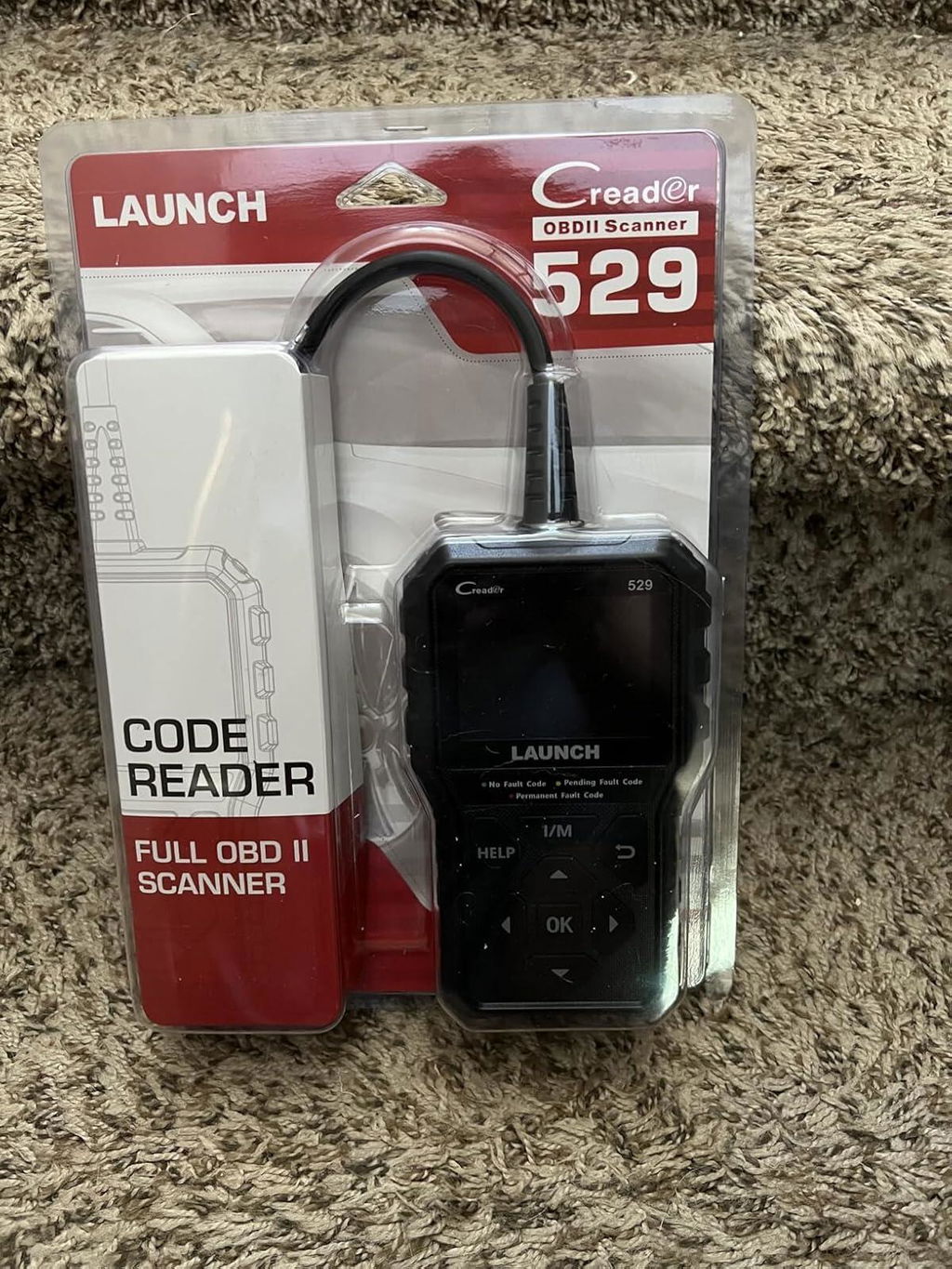
My nephew is the go to person for car issues so I got him this launch cr592. He is very happy with it because now he doesn’t have to take the vehicle to one of those stores to check to see what’s wrong before fixing. It’s simple and very easy to use.The screen is a good size making it easy to read and the navigation are simple to use. The built feels sturdy .This is a simple easy basic scanner that’s quite affordable.
A
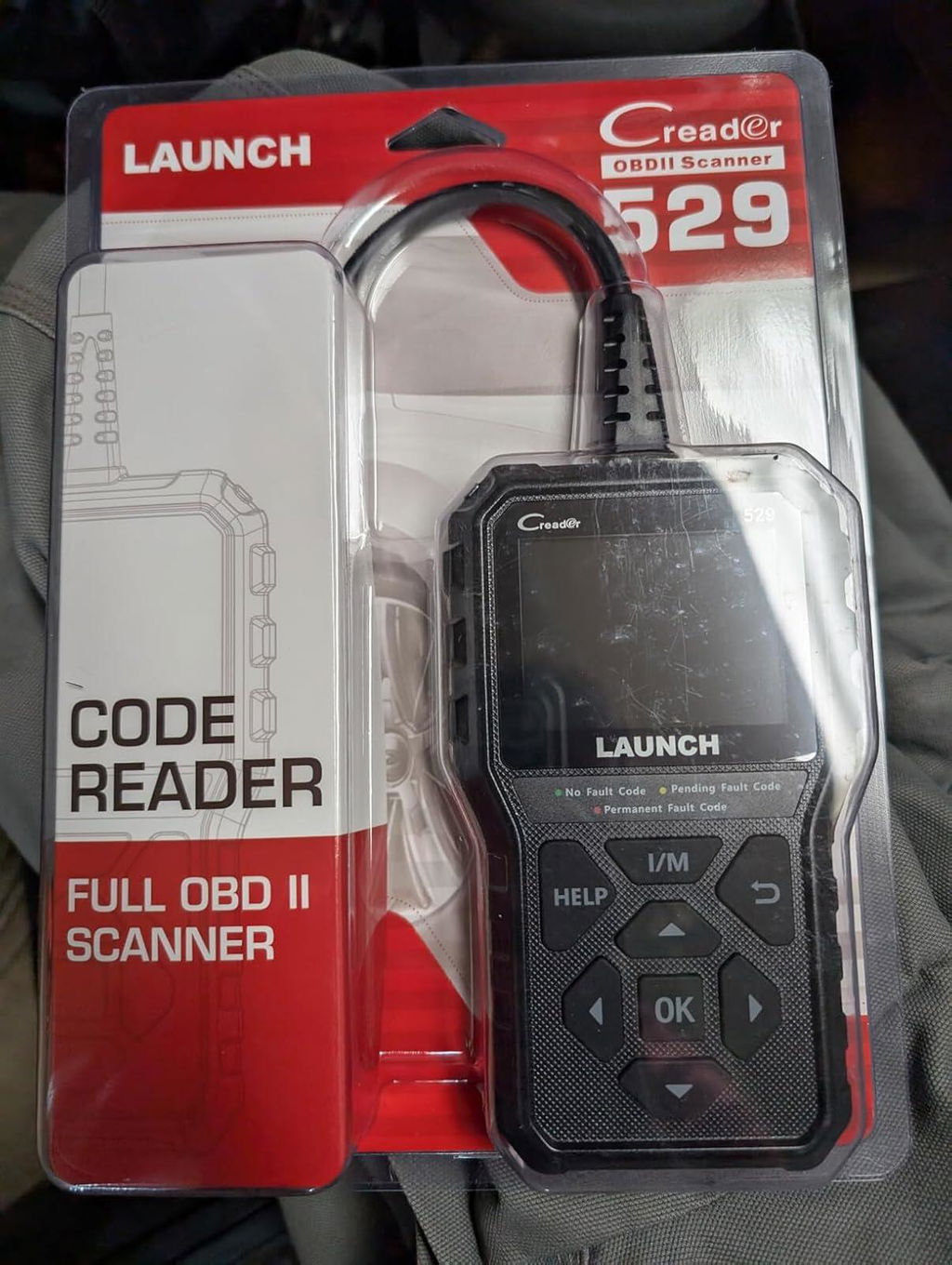
The Launch OBD2 scanner is a reliable and easy-to-use tool for any car owner. It reads and clears check engine light codes quickly and accurately, helping you diagnose issues on the spot. The real-time data feature is a standout, showing live engine performance metrics like RPM, fuel trim, and temperature in an easy-to-read format. Whether you're a DIYer or just want to stay informed, this scanner is a smart, affordable choice.
O
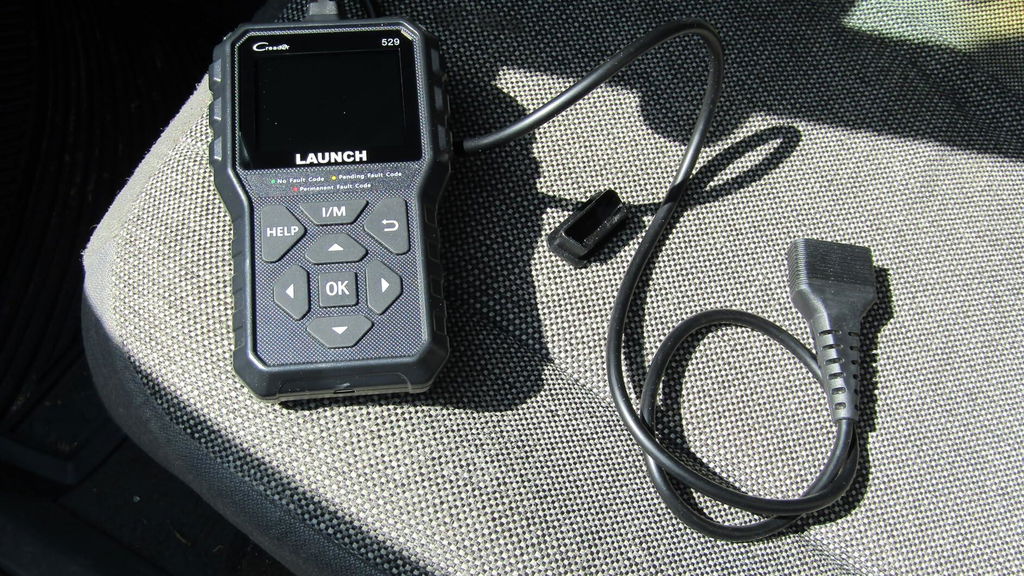
Launch CR529 OBD2 Scanner for your check engine light is a great tool to read and clear fault codes and get a good idea of the issues you are having. I've been using Launch OBD2 scanners for several years now and it's my go brand. I have two Launch BMW specific scanners and they have all worked well. TheCR529 is a good solid, economical scanner that can be up-dated via the internet. Having a few older vehicles in the stable, the CR529 is a tool you don't use very often, but when that check engine light is on, it can help you can figure out issues and point in the right direction.No issues
O
Launch CR529 OBD2 Scanner for your check engine light is a great tool to read and clear fault codes and get a good idea of the issues you are having. I've been using Launch OBD2 scanners for several years now and it's my go brand. I have two Launch BMW specific scanners and they have all worked well. TheCR529 is a good solid, economical scanner that can be up-dated via the internet. Having a few older vehicles in the stable, the CR529 is a tool you don't use very often, but when that check engine light is on, it can help you can figure out issues and point in the right direction.No issues
A
The Launch OBD2 scanner is a reliable and easy-to-use tool for any car owner. It reads and clears check engine light codes quickly and accurately, helping you diagnose issues on the spot. The real-time data feature is a standout, showing live engine performance metrics like RPM, fuel trim, and temperature in an easy-to-read format. Whether you're a DIYer or just want to stay informed, this scanner is a smart, affordable choice.
J
I recently got a check engine light on my car. I wanted to get it fixed as fast as possible but after my friends got scammed pretty bad on car repairs, I decided to purchase an OBD II scanner to scan the error code first so I have an idea on what it needs repair on. I wanted to get a wifi OBDII scanning in the beginning, but after watching reviews online, it might not be that reliable so I decided to go with this one that is more professional but a bit more expensive instead. It arrived the same day, and I was eager to try it out. Setting up and get using is very easy, just plug it in to the OBD port on your car and select the error code reader option and it will start scanning immediately. The scan took less than a minute and I searched the error code online then I knew exactly what’s wrong with my car! Obviously, there are alot more options than scanning error codes, you can do some really professional stuff with this, it can read all the sensor information, exhaust testing, live engine data, oxygen sensor, all the fun stuff to play with! But, for my purpose it worked very well! I might be able to use some of the other features in the future. Recommended for everyone to get it, and to know what needs repair and not get scammed on car repairs!
J
I recently got a check engine light on my car. I wanted to get it fixed as fast as possible but after my friends got scammed pretty bad on car repairs, I decided to purchase an OBD II scanner to scan the error code first so I have an idea on what it needs repair on. I wanted to get a wifi OBDII scanning in the beginning, but after watching reviews online, it might not be that reliable so I decided to go with this one that is more professional but a bit more expensive instead. It arrived the same day, and I was eager to try it out. Setting up and get using is very easy, just plug it in to the OBD port on your car and select the error code reader option and it will start scanning immediately. The scan took less than a minute and I searched the error code online then I knew exactly what’s wrong with my car! Obviously, there are alot more options than scanning error codes, you can do some really professional stuff with this, it can read all the sensor information, exhaust testing, live engine data, oxygen sensor, all the fun stuff to play with! But, for my purpose it worked very well! I might be able to use some of the other features in the future. Recommended for everyone to get it, and to know what needs repair and not get scammed on car repairs!
M
Reads codes accurately
M
Reads codes accurately

M
This works flawlessly without any problem: start your car, plug it in, press diagnose, and in a few minutes time, will provide you with the codes (or no codes if your car works fine). This is something everyone should have once their car starts to age over 5+ years, it'd save you some hassle to just always needing to bring the car into the shop when a CHECK ENGINE light comes on. You'll be able to figure out the code immediately and determine whether it's actually a big problem.A lot of the cheaper code readers needs you to connect to bluetooth and sometimes it doesn't work the best because you need an app as well. This one has everything on screen and it's powered by the car itself. It comes with a USB cable for updating firmware, a quick start guide, and the reader itself.
M
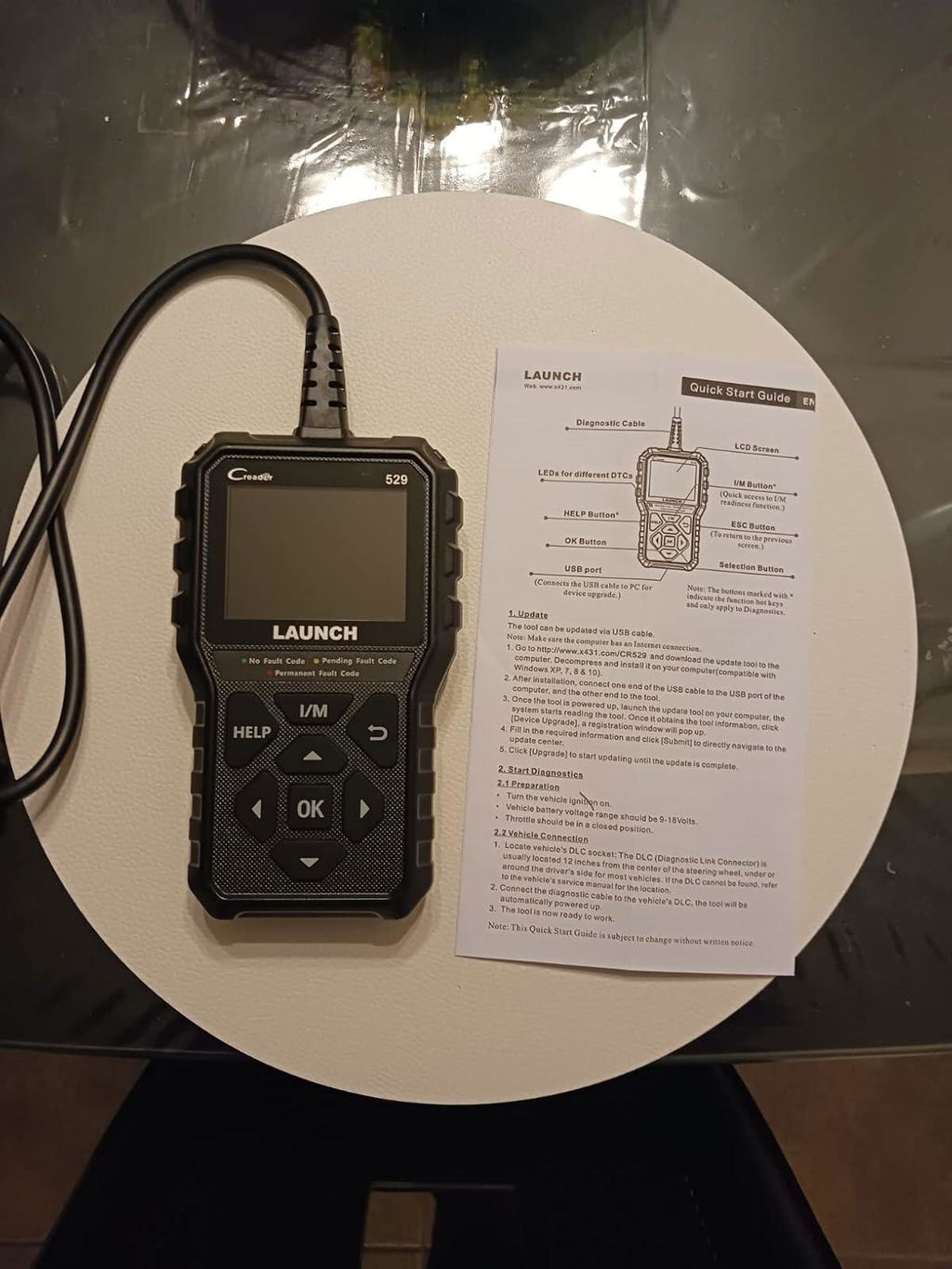
This works flawlessly without any problem: start your car, plug it in, press diagnose, and in a few minutes time, will provide you with the codes (or no codes if your car works fine). This is something everyone should have once their car starts to age over 5+ years, it'd save you some hassle to just always needing to bring the car into the shop when a CHECK ENGINE light comes on. You'll be able to figure out the code immediately and determine whether it's actually a big problem.A lot of the cheaper code readers needs you to connect to bluetooth and sometimes it doesn't work the best because you need an app as well. This one has everything on screen and it's powered by the car itself. It comes with a USB cable for updating firmware, a quick start guide, and the reader itself.
B
Works well. Easy to use and read.Has the ability to be updated to get codes of newer vehicles.
B
Works well. Easy to use and read.Has the ability to be updated to get codes of newer vehicles.

M
Been able to reset most codes,
M
Been able to reset most codes,

J
So far very happy with this. Great deal. Anyone who has an older or engine light prone car should get one. Was easy to use and great value.
Y
Es un escaner b��sico de muy facil manejo y los detalles son bastante precisos.Exelente producto
A
This is a really handy tool to keep in the truck!You can check your engine codes (and clear them if you want) as well as emissions test readiness, oxygen sensors and even get live running diagnostics.To be honest, it can do more than I even know how to do.It comes with a usb cord you can use to update it periodically as well.All around, great value and very useful!
F
For the price, this scanner does a lot.First off, the build quality is pretty decent.It doesn't feel flimsy, the buttons have a good feel to them, the screen is nice and clear.Next, and this is a big one for me, it has FREE lifetime updates.Of course, this does depend on the company lasting a lifetime, but if it will at least be a decade, I'd say I have gotten my money's worth.It easily connected to my 2025 Kia Soul and I was able to check for codes and the added bonus on this scanner is that it can do live data.If you know what you are doing, this is a game changer.At this price point, it's unheard of.Another thing I really like is that it shows the readiness of the various modules.I have scanners that are 2x this much that don't do these two things.
A
This is a really handy tool to keep in the truck!You can check your engine codes (and clear them if you want) as well as emissions test readiness, oxygen sensors and even get live running diagnostics.To be honest, it can do more than I even know how to do.It comes with a usb cord you can use to update it periodically as well.All around, great value and very useful!
F
For the price, this scanner does a lot.First off, the build quality is pretty decent.It doesn't feel flimsy, the buttons have a good feel to them, the screen is nice and clear.Next, and this is a big one for me, it has FREE lifetime updates.Of course, this does depend on the company lasting a lifetime, but if it will at least be a decade, I'd say I have gotten my money's worth.It easily connected to my 2025 Kia Soul and I was able to check for codes and the added bonus on this scanner is that it can do live data.If you know what you are doing, this is a game changer.At this price point, it's unheard of.Another thing I really like is that it shows the readiness of the various modules.I have scanners that are 2x this much that don't do these two things.
C
My nephew is the go to person for car issues so I got him this launch cr592. He is very happy with it because now he doesn’t have to take the vehicle to one of those stores to check to see what’s wrong before fixing. It’s simple and very easy to use.The screen is a good size making it easy to read and the navigation are simple to use. The built feels sturdy .This is a simple easy basic scanner that’s quite affordable.
C
My nephew is the go to person for car issues so I got him this launch cr592. He is very happy with it because now he doesn’t have to take the vehicle to one of those stores to check to see what’s wrong before fixing. It’s simple and very easy to use.The screen is a good size making it easy to read and the navigation are simple to use. The built feels sturdy .This is a simple easy basic scanner that’s quite affordable.
A
The Launch OBD2 scanner is a reliable and easy-to-use tool for any car owner. It reads and clears check engine light codes quickly and accurately, helping you diagnose issues on the spot. The real-time data feature is a standout, showing live engine performance metrics like RPM, fuel trim, and temperature in an easy-to-read format. Whether you're a DIYer or just want to stay informed, this scanner is a smart, affordable choice.
O
Launch CR529 OBD2 Scanner for your check engine light is a great tool to read and clear fault codes and get a good idea of the issues you are having. I've been using Launch OBD2 scanners for several years now and it's my go brand. I have two Launch BMW specific scanners and they have all worked well. TheCR529 is a good solid, economical scanner that can be up-dated via the internet. Having a few older vehicles in the stable, the CR529 is a tool you don't use very often, but when that check engine light is on, it can help you can figure out issues and point in the right direction.No issues
O
Launch CR529 OBD2 Scanner for your check engine light is a great tool to read and clear fault codes and get a good idea of the issues you are having. I've been using Launch OBD2 scanners for several years now and it's my go brand. I have two Launch BMW specific scanners and they have all worked well. TheCR529 is a good solid, economical scanner that can be up-dated via the internet. Having a few older vehicles in the stable, the CR529 is a tool you don't use very often, but when that check engine light is on, it can help you can figure out issues and point in the right direction.No issues
A
The Launch OBD2 scanner is a reliable and easy-to-use tool for any car owner. It reads and clears check engine light codes quickly and accurately, helping you diagnose issues on the spot. The real-time data feature is a standout, showing live engine performance metrics like RPM, fuel trim, and temperature in an easy-to-read format. Whether you're a DIYer or just want to stay informed, this scanner is a smart, affordable choice.
J
I recently got a check engine light on my car. I wanted to get it fixed as fast as possible but after my friends got scammed pretty bad on car repairs, I decided to purchase an OBD II scanner to scan the error code first so I have an idea on what it needs repair on. I wanted to get a wifi OBDII scanning in the beginning, but after watching reviews online, it might not be that reliable so I decided to go with this one that is more professional but a bit more expensive instead. It arrived the same day, and I was eager to try it out. Setting up and get using is very easy, just plug it in to the OBD port on your car and select the error code reader option and it will start scanning immediately. The scan took less than a minute and I searched the error code online then I knew exactly what’s wrong with my car! Obviously, there are alot more options than scanning error codes, you can do some really professional stuff with this, it can read all the sensor information, exhaust testing, live engine data, oxygen sensor, all the fun stuff to play with! But, for my purpose it worked very well! I might be able to use some of the other features in the future. Recommended for everyone to get it, and to know what needs repair and not get scammed on car repairs!
J
I recently got a check engine light on my car. I wanted to get it fixed as fast as possible but after my friends got scammed pretty bad on car repairs, I decided to purchase an OBD II scanner to scan the error code first so I have an idea on what it needs repair on. I wanted to get a wifi OBDII scanning in the beginning, but after watching reviews online, it might not be that reliable so I decided to go with this one that is more professional but a bit more expensive instead. It arrived the same day, and I was eager to try it out. Setting up and get using is very easy, just plug it in to the OBD port on your car and select the error code reader option and it will start scanning immediately. The scan took less than a minute and I searched the error code online then I knew exactly what’s wrong with my car! Obviously, there are alot more options than scanning error codes, you can do some really professional stuff with this, it can read all the sensor information, exhaust testing, live engine data, oxygen sensor, all the fun stuff to play with! But, for my purpose it worked very well! I might be able to use some of the other features in the future. Recommended for everyone to get it, and to know what needs repair and not get scammed on car repairs!
M
Reads codes accurately
M
Reads codes accurately
M
This works flawlessly without any problem: start your car, plug it in, press diagnose, and in a few minutes time, will provide you with the codes (or no codes if your car works fine). This is something everyone should have once their car starts to age over 5+ years, it'd save you some hassle to just always needing to bring the car into the shop when a CHECK ENGINE light comes on. You'll be able to figure out the code immediately and determine whether it's actually a big problem.A lot of the cheaper code readers needs you to connect to bluetooth and sometimes it doesn't work the best because you need an app as well. This one has everything on screen and it's powered by the car itself. It comes with a USB cable for updating firmware, a quick start guide, and the reader itself.
M
This works flawlessly without any problem: start your car, plug it in, press diagnose, and in a few minutes time, will provide you with the codes (or no codes if your car works fine). This is something everyone should have once their car starts to age over 5+ years, it'd save you some hassle to just always needing to bring the car into the shop when a CHECK ENGINE light comes on. You'll be able to figure out the code immediately and determine whether it's actually a big problem.A lot of the cheaper code readers needs you to connect to bluetooth and sometimes it doesn't work the best because you need an app as well. This one has everything on screen and it's powered by the car itself. It comes with a USB cable for updating firmware, a quick start guide, and the reader itself.
B
Works well. Easy to use and read.Has the ability to be updated to get codes of newer vehicles.
B
Works well. Easy to use and read.Has the ability to be updated to get codes of newer vehicles.
M
Been able to reset most codes,
M
Been able to reset most codes,
J
So far very happy with this. Great deal. Anyone who has an older or engine light prone car should get one. Was easy to use and great value.
Y
Es un escaner b��sico de muy facil manejo y los detalles son bastante precisos.Exelente producto
Certificate Files
Official LAUNCH Authorized Dealer
Genuine LAUNCH diagnostic tools, reliable support and a more confident purchase experience.
We provide authentic LAUNCH products through authorized sales channels, with supported software updates, warranty service and professional technical assistance.
Why Buy from an Authorized LAUNCH Dealer?
Buying from an authorized dealer helps ensure your LAUNCH diagnostic tool is genuine, properly supported and eligible for official services.
100% Genuine Products
Authentic LAUNCH diagnostic tools sourced through authorized distribution channels.
Official Software Support
Access supported diagnostic software, vehicle coverage and available software updates.
Warranty Protection
Eligible products include warranty support according to the terms listed on each product page.
Professional Support
Get help with product selection, compatibility, setup, software updates and technical questions.
Official LAUNCH Authorization

Our authorization confirms that we are approved to distribute genuine LAUNCH diagnostic products through authorized sales channels.
Why Genuine LAUNCH Matters
Professional diagnostic tools depend on more than hardware. Genuine products provide access to supported software, valid device activation and reliable after-sales service.
Reliable Activation
Valid product identification and supported device activation.
Software & Vehicle Coverage
Access supported diagnostic software, vehicle data and available updates.
After-Sales Support
Receive assistance for eligible product, software and warranty needs.
Unauthorized or cloned devices may experience activation, update, compatibility or warranty limitations.
Support Before & After Your Purchase
Our team can assist throughout the entire purchase and ownership process.
Before Purchase
-
Vehicle compatibility
-
Diagnostic function confirmation
-
Product comparison
-
Accessory compatibility
After Purchase
-
Product activation
-
Software updates
-
Technical support
-
Warranty assistance
Buy LAUNCH with Confidence
Choose genuine LAUNCH diagnostic tools backed by reliable software support and professional service.
Genuine Products
Authentic LAUNCH tools and accessories.
Software Support
Supported software and vehicle coverage.
Professional Assistance
Help with compatibility, setup and product use.
Reliable After-Sales Service
Support when you need it after purchase.
Frequently Asked Questions
Are the LAUNCH products sold on this website genuine?
Yes. We provide genuine LAUNCH diagnostic products through authorized sales channels.
Do LAUNCH diagnostic tools include software updates?
Most eligible products include a free software update period. The exact update period varies by model.
Can you help confirm vehicle compatibility?
Yes. Provide your vehicle make, model, year and required diagnostic function, and our team can help check compatibility.
Do all LAUNCH products include the same warranty?
No. Warranty coverage may vary by product. Please refer to the warranty information listed on the corresponding product page.
Can you help with product activation?
Yes. Our support team can assist with general activation, registration and setup questions for eligible products.
✅ Fast order processing
You will receive the orders within 24 hours of payment confirmation (excluding weekends and public holidays). During peak seasons or holidays, processing times may be slightly extended. In the event of delays, we will take all necessary steps to minimize them.
To place an order, choose your region and click the link below:
-United States – https://us.launchx431pro.com/
-United Kingdom – https://uk.launchx431pro.com/
-European Union – https://www.launchx431pro.com/
✅ Local warehouses shipment
All orders are shipped from our warehouses in the USA, the United Kingdom, and Germany using premium international carriers to ensure your tools arrive safely and on time.
| Region | Shipping Location | Estimated Delivery Time |
| United States | PERTH AMBOY, NJ | 3–5 business days |
| United Kingdom | Dunstable | 3–5 business days |
| European | Ginsheim-Gustavsburg, Frankfurt | 3–7 business days |
| Other Countries | HongKong | 7–15 business days |
✅ Safe and reliable delivery
You can count on fast, dependable delivery. We work with trusted international carriers like DHL, UPS, USPS, FedEx, and DPD to get your order to you safely.
NOTE: Delivery to some remote or rural areas is not available. If you're unsure whether we ship to your location, feel free to contact our support team before placing your order.
✅ Free Shipping on Local Orders
Local orders (US, UK, EU) ship for free and with no tax.
For orders shipped to Canada or other non-local countries (excluding the US, UK, and EU), import taxes or customs duties may apply upon delivery.
✅ Customs & duties guidance
For customers outside Europe, customs fees are determined by your local government. As these charges vary by country and are beyond our control, we recommend contacting your local customs office before placing your order to understand any applicable fees, duties, or taxes.
✅ More shipment inquiries
For any shipping-related questions, our customer service team is here to help.
Email: ussupport@launchx431pro.com
WhatsApp: +86-180-2870-0839
Business hours: Monday–Friday, 9:00 AM – 6:00 PM (GMT+8)

Launch Upgrade Card (All Products)
NOTE:
- 1. Please email us ussupport@launchx431pro.com with your Serial Number(S/N) after payment. The S/N is on the back of your device.
- 2. Very Easy to Operate, No Need Shipping.
- 3. It will take 2 working days to be updated.
- 4. Only for Software Update, without Hardware Warranty.
- 5. Due to the digital nature of virtual cards, all sales are final and non-refundable once sent or activated. Please double-check your order details before purchase. We will also send a verification reminder, and you may need to confirm your order within the specified timeframe prior to delivery. For any technical issues, kindly contact our support team for assistance.
Launch X431 V/ X431 V+/Pros Mini / PAD V/ PAD VII One Year Update Service
You software of X431 V and X431 V+ has been outdated? Want to update it??
Now to save your money, we provide one year update service for all customer who have X431 V, X431 V+ / PAD V/ PAD VII and the free update service has been expired.
How to make it work?
1. After you place an order on our website and check out, please email us via ussupport@launchx431pro.com and provide us your device serial number.
2. We will open one year update authorization for you.
3. The Launch technician will open the update service online, no need shipment.
4. then you can go back to homepage of your X431 V/ X431 V+ / PAD V/ PAD VII and click "Update" to download new update.
Return policy
Our goal is for every customer to be totally satisfied with their purchase. If this isn't the case, let us know and we'll do our best to work with you to make it right.
Shipping
We will work quickly to ship your order as soon as possible. Once your order has shipped, you will receive an email with further information. Delivery times vary depending on your location.
Manufacturing
Our products are manufactured both locally and globally. We carefully select our manufacturing partners to ensure our products are high quality and a fair value.